
Analysis · October 23, 2026
From Clicks to Tokens: Benchmarking MCP-Connected Authoring Tools
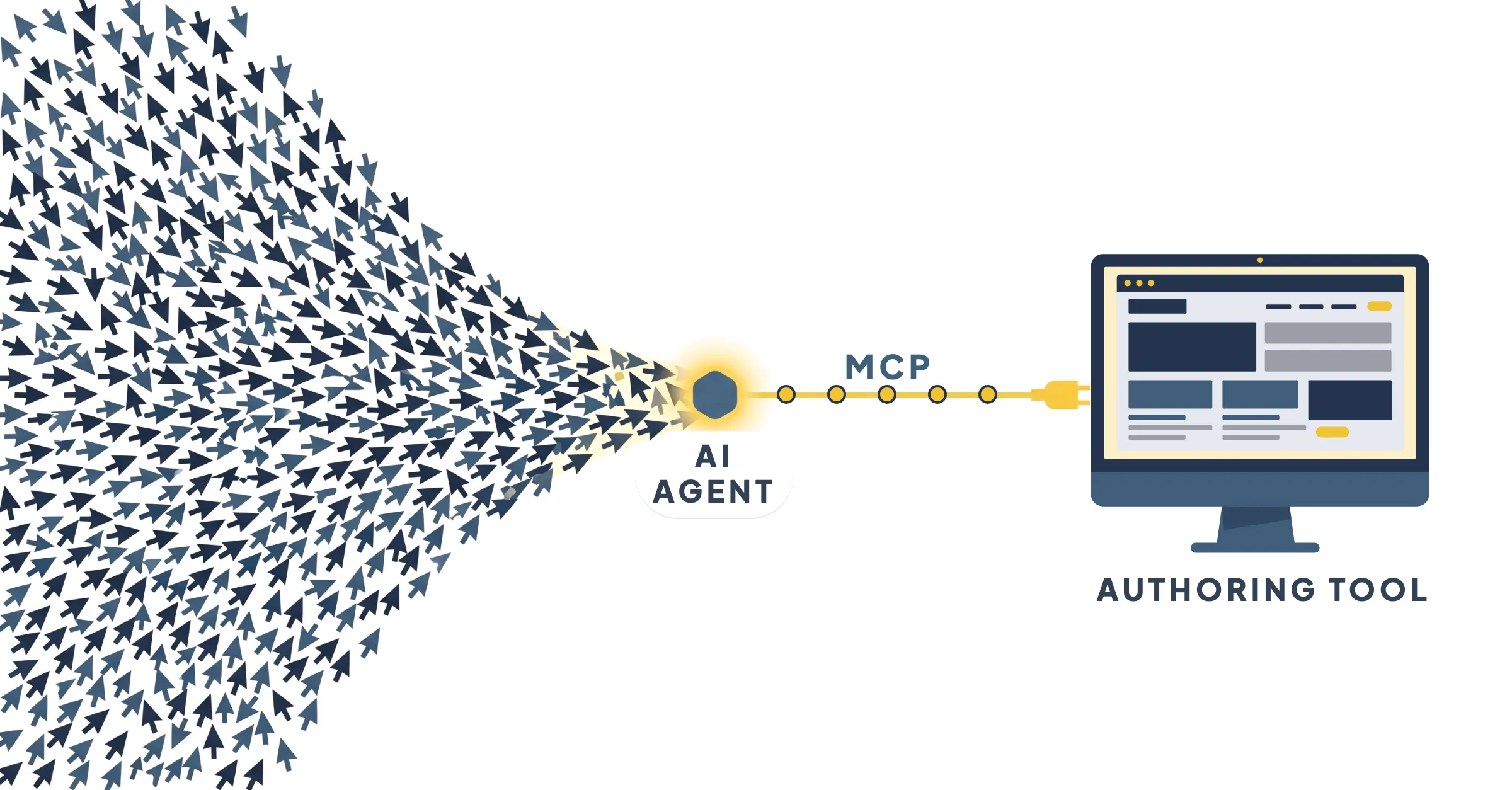
Last year I benchmarked 10 authoring tools by counting clicks. This year I counted tokens because I never even had to open the apps.
I had an AI agent build the same course in four different authoring tools: Coassemble, Evolve, Mindsmith and Parta. It did all the work through each tool’s MCP connection. Then the agent took seven more passes at its most detailed course to see how far it could improve its own work.
These tools will have changed by the time you read this. So treat the specific results as a snapshot from October 2026. What an agent does well, and where it still needs a designer, should hold up through the next round of updates.
Setting up the benchmark
MCP (Model Context Protocol) is an open standard for connecting AI agents to other software. Without it, you work with an AI in a separate chat window, then copy and paste what it writes into your authoring tool. With an MCP connection, the agent works inside the authoring tool itself. Besides writing the text, it can create the course, add blocks, upload images, change quiz settings, publish and grab a preview link.
Each vendor decides what the agent is allowed to do in its software. MCP calls each of these abilities a “tool.” To keep them apart from authoring tools, I’ll call them actions. Parta’s connection offers 95 actions, Mindsmith’s 70 and Coassemble’s 57. Evolve’s starts with four that open up 125 more. Articulate’s, which I tested separately, has two.
Each list also costs tokens before any work starts, because the agent reads the description of every action it might use. Loading the full list took about 27,000 tokens for Coassemble, 58,500 for Mindsmith and 45,500 for Parta, plus 34,000 more when Block Builder is connected. Evolve’s four actions took about 2,500, and the agent looks up the rest as it needs them. Claude Code loads a list once per session, but some apps send every connected tool’s list on every turn, so it usually pays to connect only the tools you’re using.
How an MCP connection fits in
You
The designer
Sets the goals and the brief, sometimes with the agent interviewing you, then reviews the course
AI agent
Claude Opus 5.5
Turns the brief into steps and carries them out
MCP connection
The vendor’s actions
What the agent is allowed to do in that platform
Authoring tool
Where the course gets built
Coassemble, Evolve, Mindsmith or Parta, then published, exported or shared from there
Last year, I benchmarked 10 major authoring tools by building the same course by hand, tracking clicks, keystrokes and scrolls. This year I was able to connect Claude to the authoring tools and have it build the courses for me. Each agent ran on Claude Opus 5.5 at medium effort, in a fresh session, with only that platform’s MCP connection switched on. The model, the prompts and the brief were the same everywhere, so the differences come down mostly to what each connection lets the agent do.
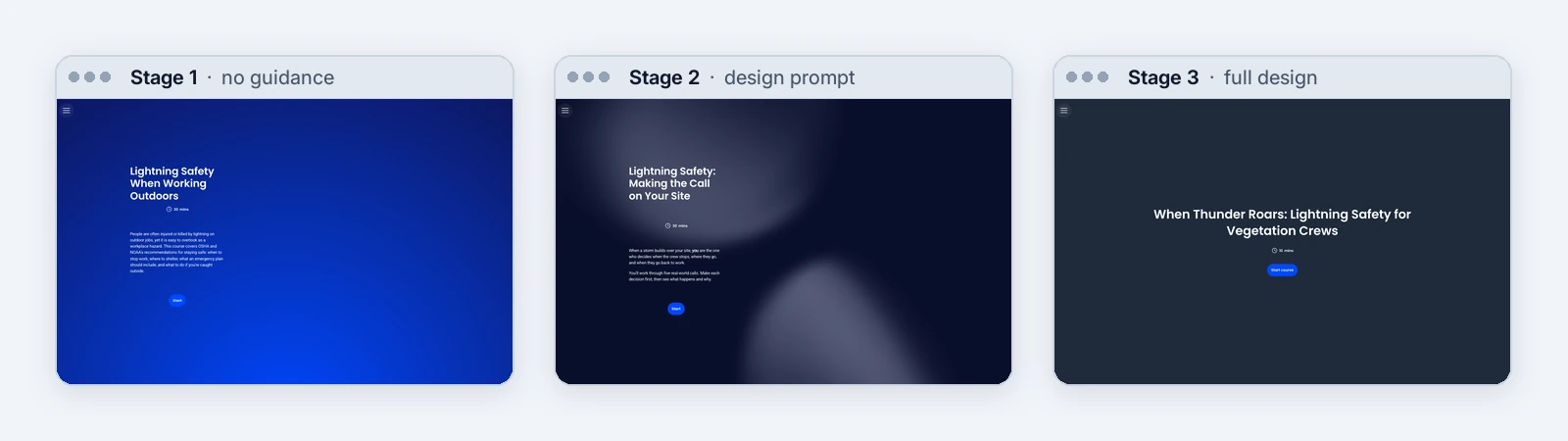
Each platform built a short lightning safety course for crew leads on outdoor work sites, from the OSHA and NOAA fact sheet Lightning Safety When Working Outdoors, at three levels of help. Each stage adds to the one before:
Stage 1
No guidance
Build a course in Evolve from the document lightning-safety.pdf in this folder.
Stage 2
A design prompt
The stage 1 prompt, plus:
It is for crew leads on outdoor work sites and should take 5 to 10 minutes. Use scenario-based training, with cases that show consequences and test learners before teaching them. Use active learning, andragogy and the principles of adult learning, and Mayer’s multimedia design principles in your design.
Stage 3
A full design
The same request, pointed at a full design brief that builds on stage 2:
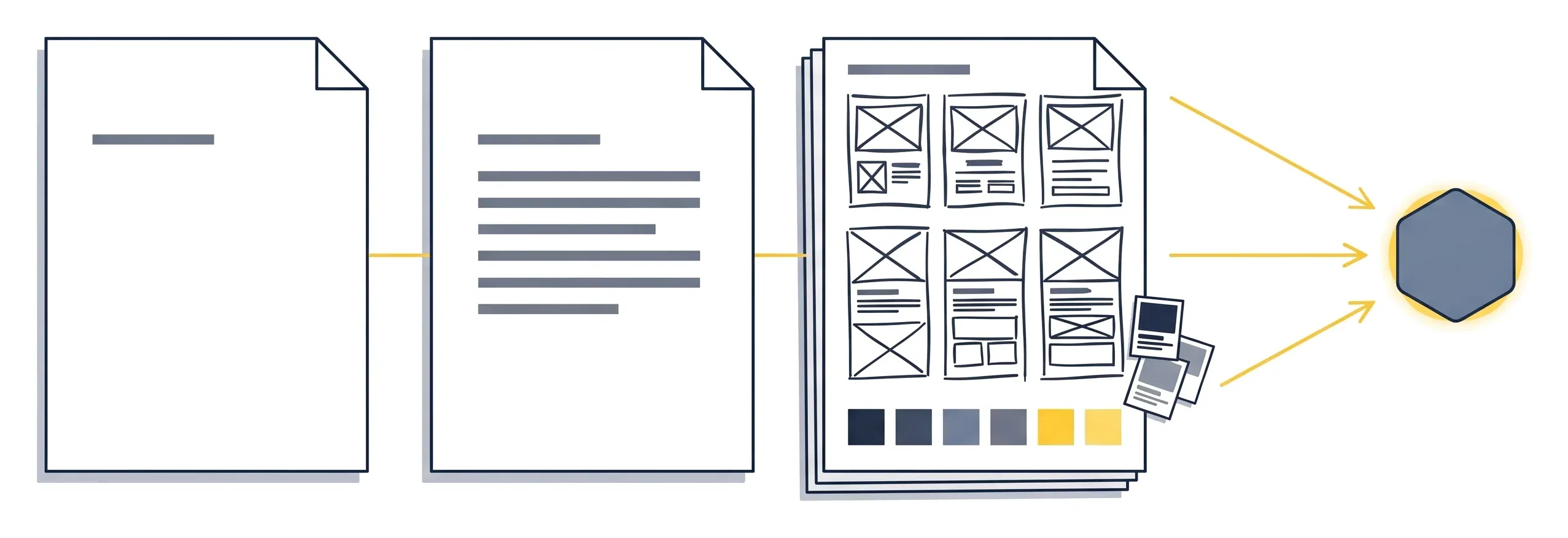
- 9 screens, every word written out
- 14 vetted images, with alt text
- A color palette and a font
Built from one interview with me. See the design pack
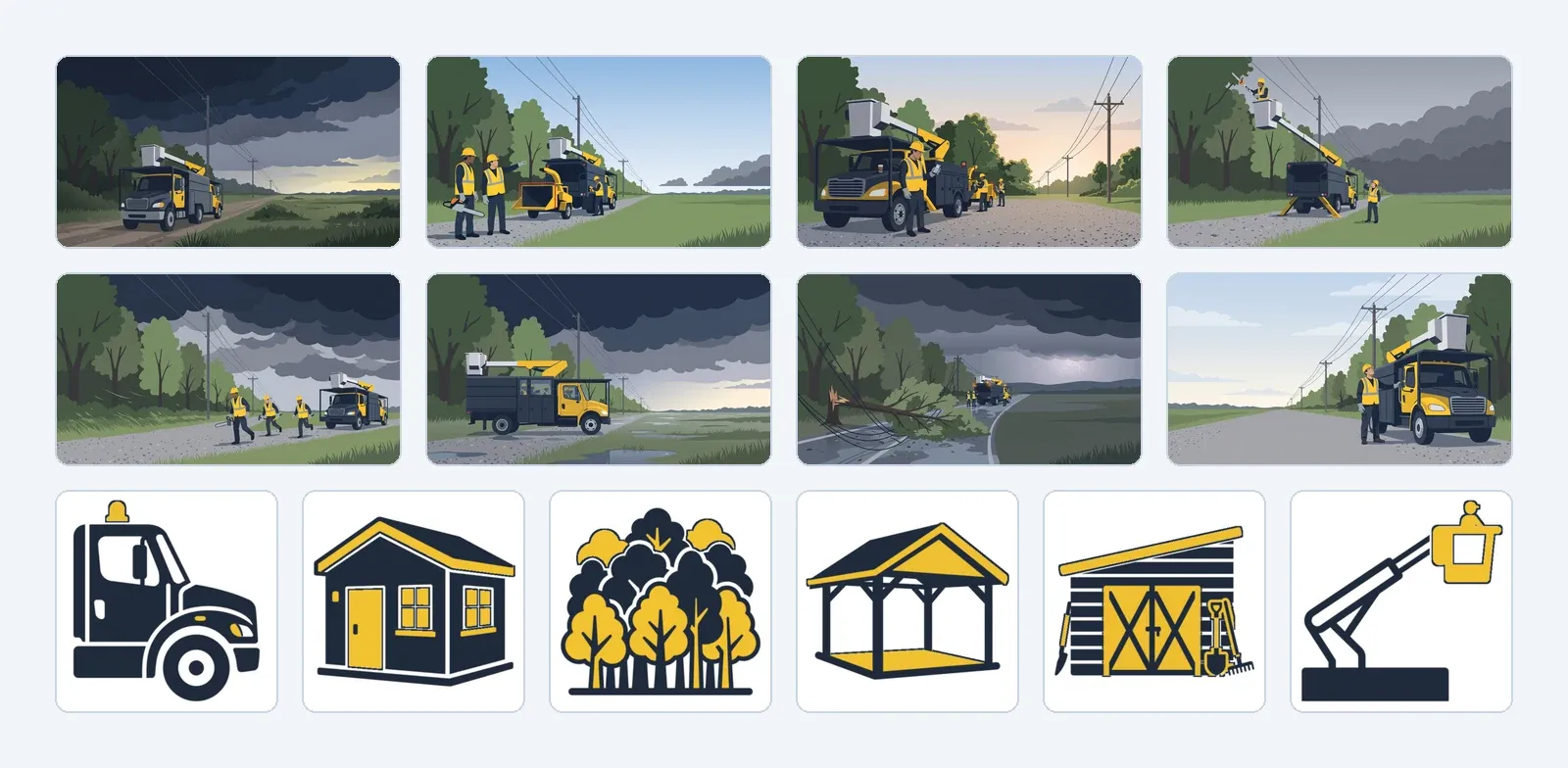
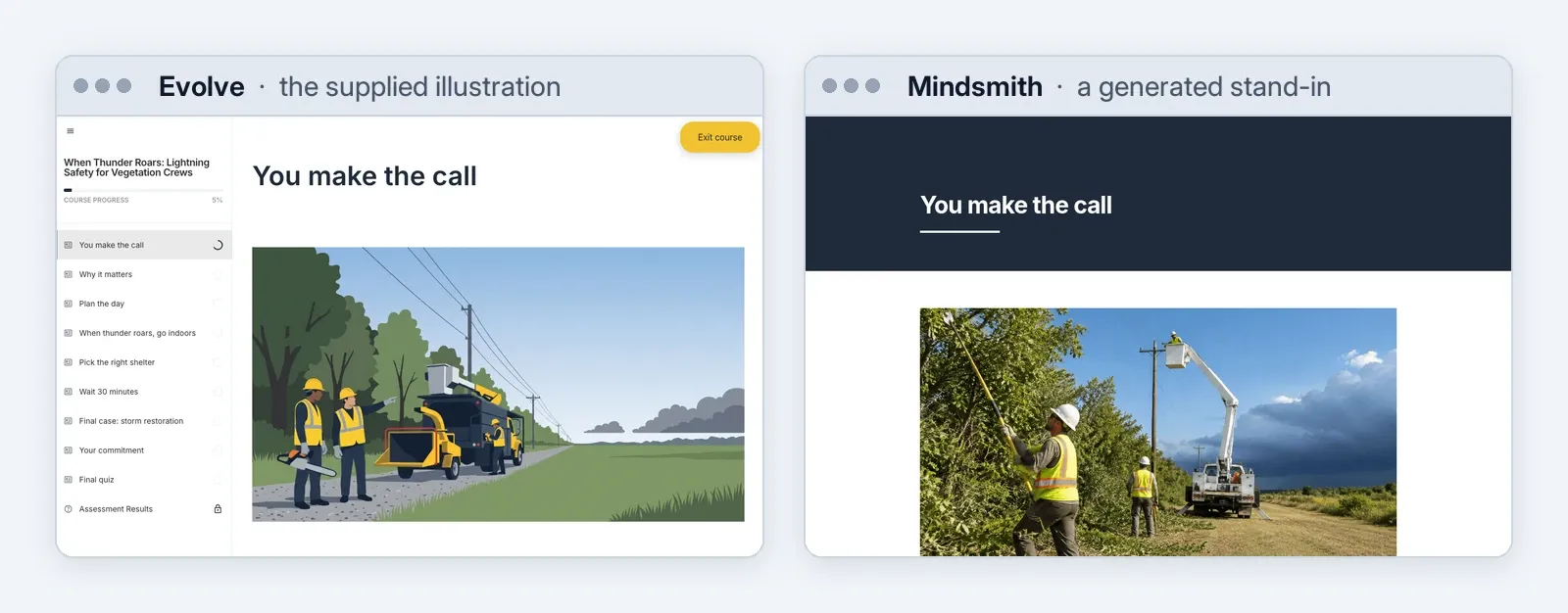
The 14 images supplied with the stage 3 brief: eight scene illustrations and six icons for the shelter sort.
Each platform got one attempt at each stage, with no fixes by hand. Every build was logged as it ran, then evaluated afterward:
- Read each course back through the connection
- Checked it line by line against the brief
- Played it through in a browser
- Scanned it for accessibility where a public version existed
In all, the 12 builds (one course, four platforms, three stages) took 74 minutes of agent time, used 42 million tokens and cost about $33 in tokens. Here’s the breakdown for each platform, including the seven extra passes:
| Stage | Coassemble | Evolve | Mindsmith | Parta |
|---|---|---|---|---|
| Stage 1Stage 1 · No guidance | 2m 07s $1.08 | 2m 19s $1.34 | 8m 45s $3.95 | 5m 40s $2.77 |
| Stage 2Stage 2 · Design prompt | 1m 58s $0.90 | 3m 46s $1.56 | 6m 04s $2.81 | 10m 00s $3.77 |
| Stage 3Stage 3 · Full design | 4m 16s $1.98 | 9m 31s $3.65 | 8m 10s $4.27 | 11m 01s $4.79 |
| 7 passesSeven more passes | 18m 43s $11.72 | 27m 00s $13.40 | 34m 36s $19.02 | 33m 05s $20.38 |
Dollar figures are calculated at Anthropic’s published API prices. I ran everything on a Claude subscription, which doesn’t publish a per-token price. The figures cover only the agent’s token use through MCP. Each authoring tool’s own subscription isn’t included, and neither is any image generation a platform does on its side, like Mindsmith’s. Tokens and actions for every run are in the results explorer.
Tokens are how an AI agent’s work gets measured and billed. A token is a chunk of text, roughly three-quarters of a word, and you pay for every one the agent reads and writes. At every step, the agent re-reads everything so far: your instructions, the platform’s list of actions and guides, and every result it has gotten back. That’s why even a two-minute build can use close to a million tokens.
Most of those tokens were repeats. When the agent re-reads something it has already seen, the API bills it at about a tenth of the normal price. That’s how 42 million tokens came to $33.
Each platform’s MCP connection also hands the agent its own instructions and guides to read, and those add up. Building the full design took 2.6 million tokens in Coassemble and 7.8 million in Mindsmith. In Mindsmith, the agent read its design guides and took screenshots to check its own work, which cost more tokens but let it catch its own mistakes.
1. The prompt sets quality while the tool sets the ceiling
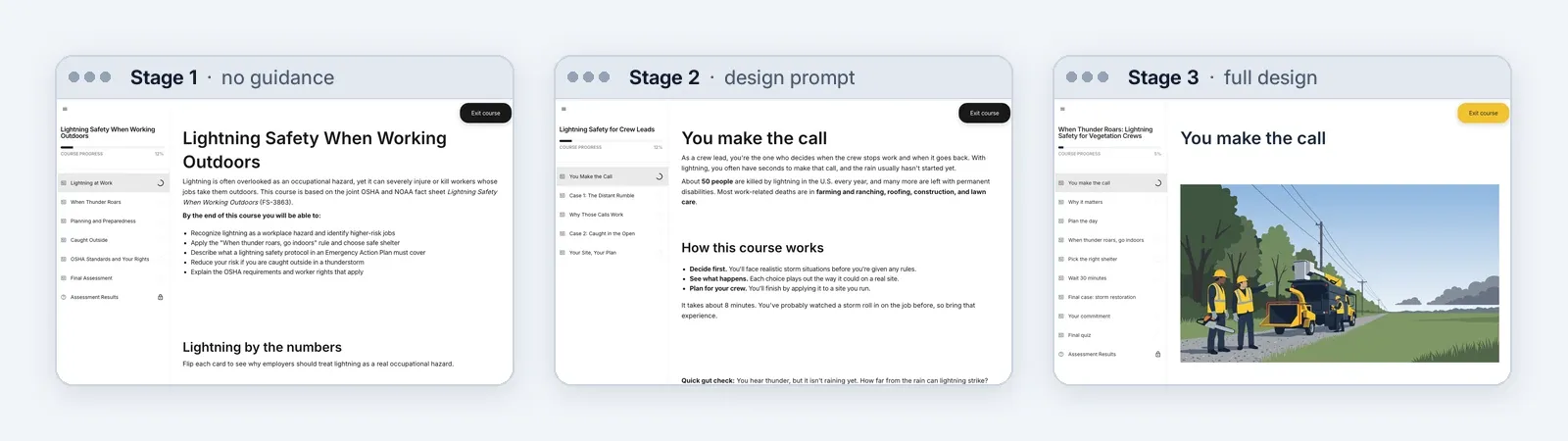
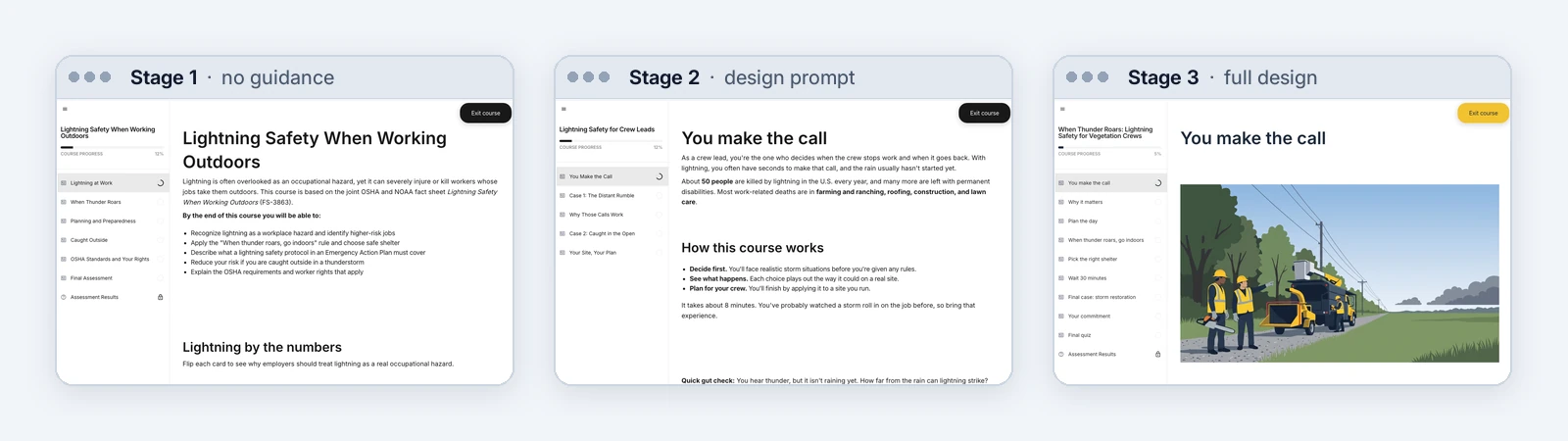
At stage 1, every tool produced an accurate tour of the fact sheet for “outdoor workers.” None of them would change what a crew lead does when a storm moves in. However, an extra paragraph of design guidance greatly changed the results of all four builds. Every course incorporated scenarios for crew leads, with a consequence for each call and somebody pushing to keep working. That paragraph made the biggest difference in the whole test.
Given the full design, all 140 sentences of the brief landed in all four tools. Most went in word for word, and the rest were split across two fields, like a big number and the line under it. If your worry is that the AI will rewrite wording legal signed off on, none of these builds did.
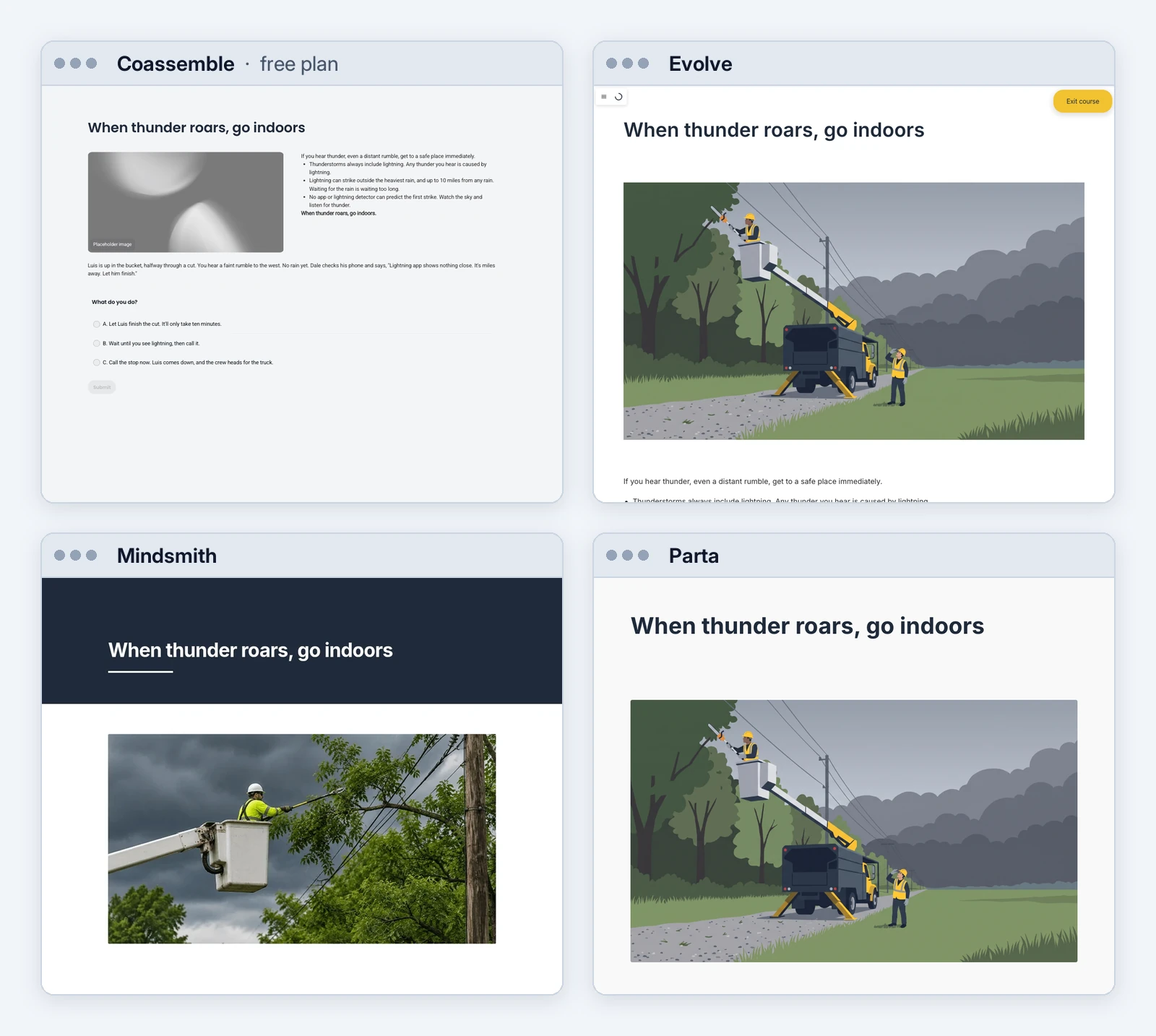
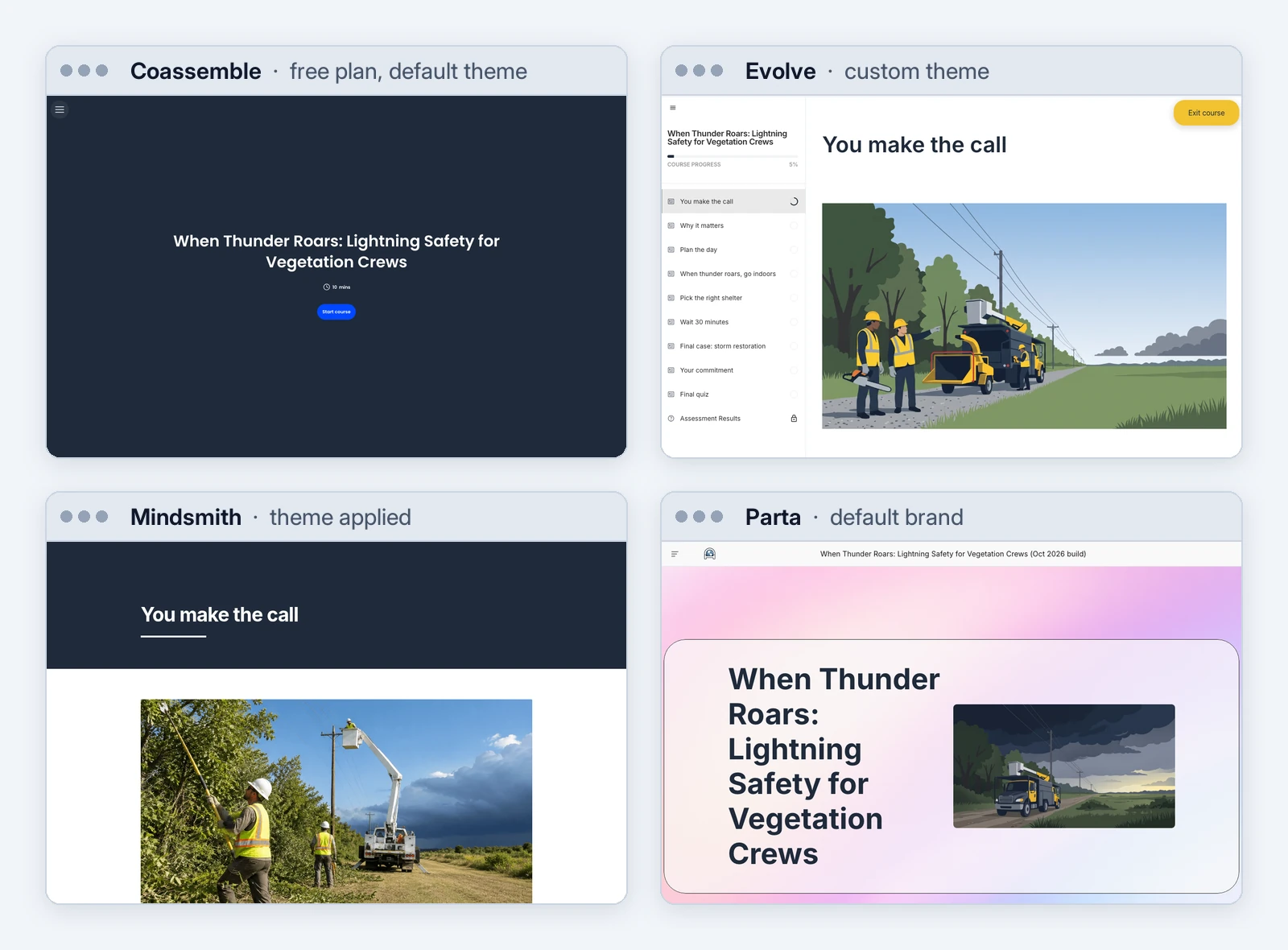
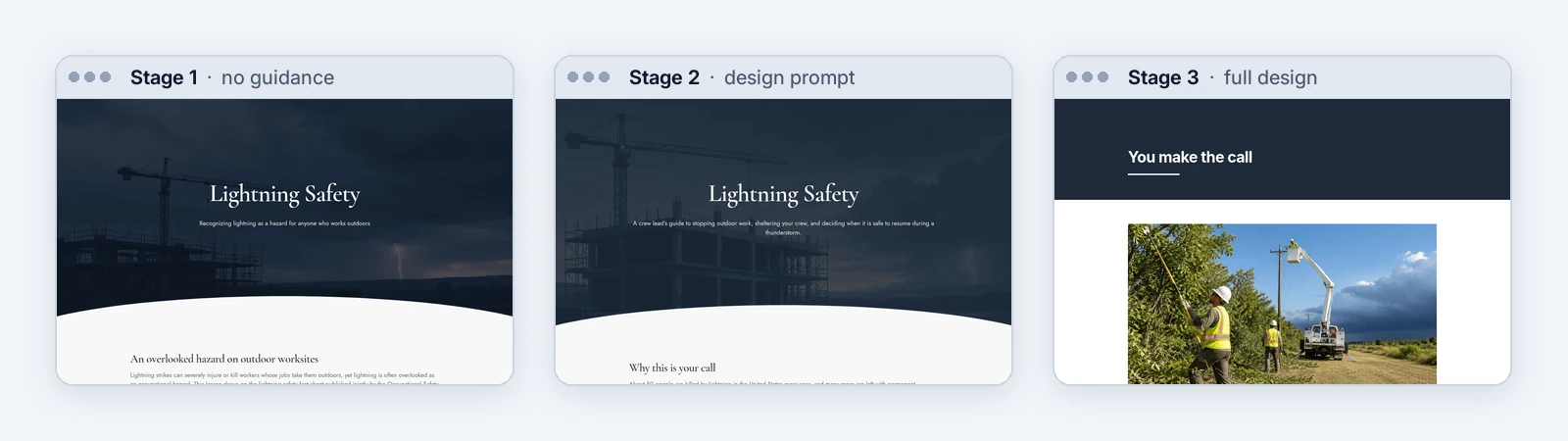
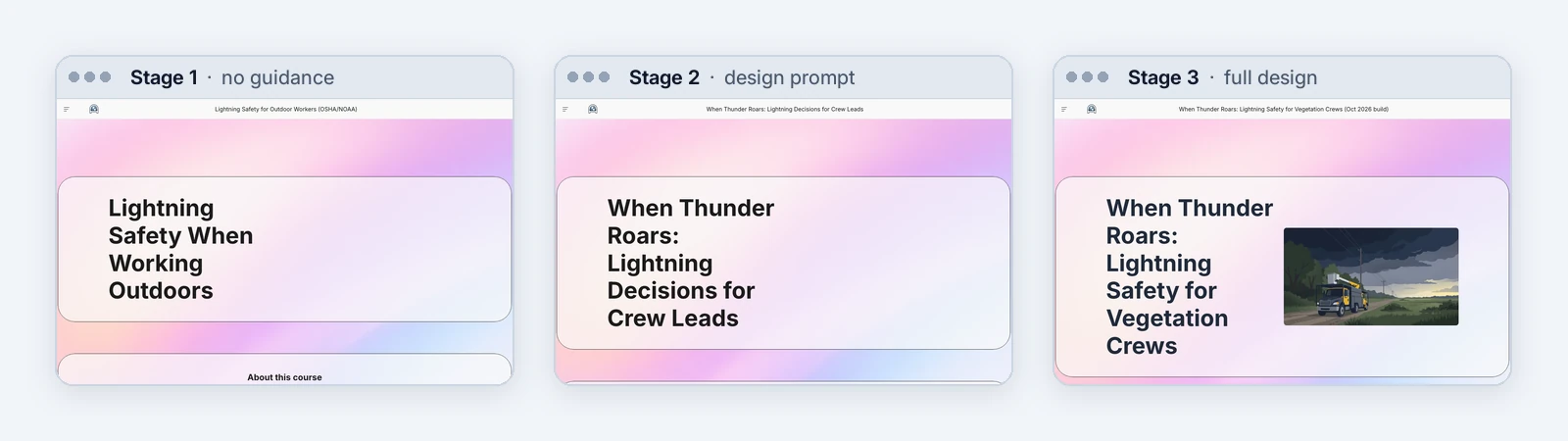
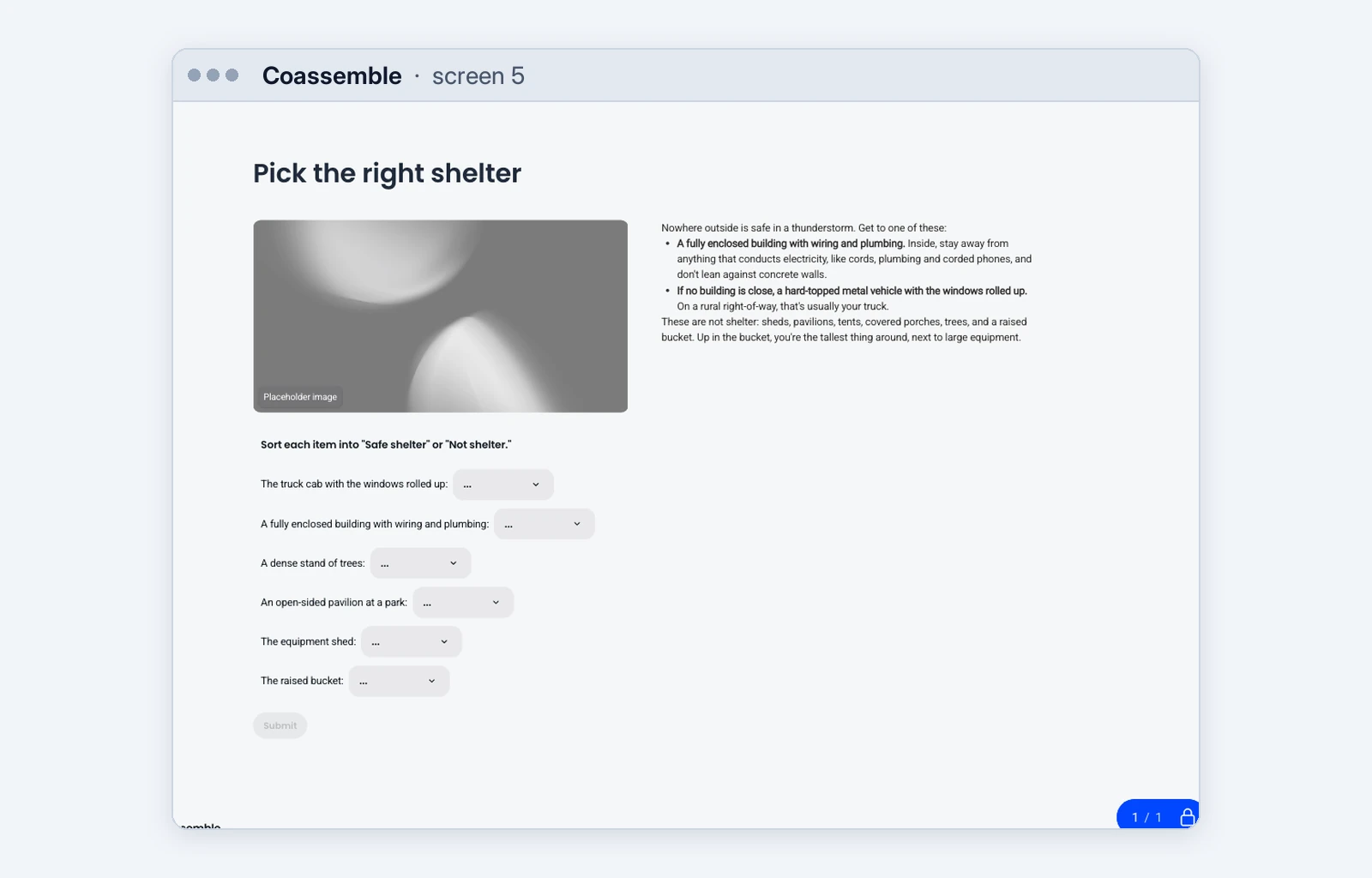
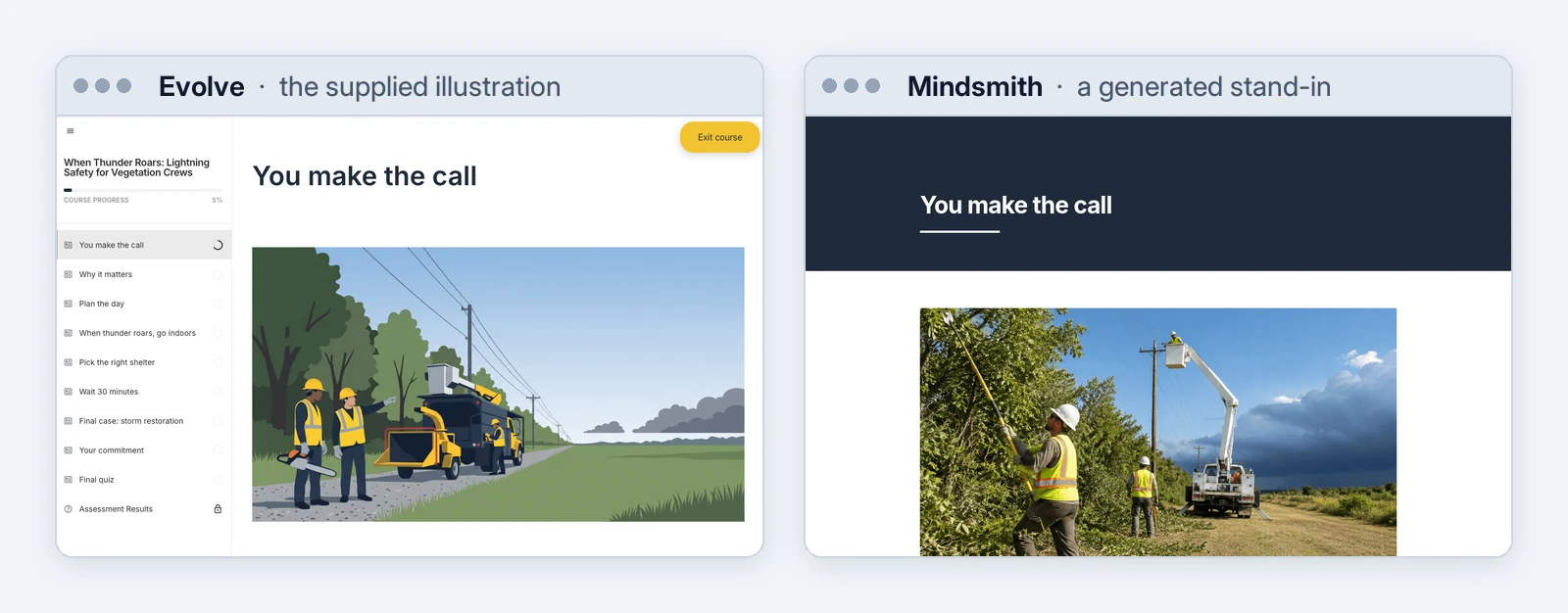
The tools differed on everything around the words. Two of the four couldn’t place a supplied image at all. Brand ran from a full custom theme in Evolve to Parta’s default pink gradient, because Parta’s connection can assign a brand but can’t create one. A choice that isn’t scored, like the brief’s opening “What do you do?”, was easy in Mindsmith and Parta, took a workaround in Evolve, and wasn’t possible at all in Coassemble.
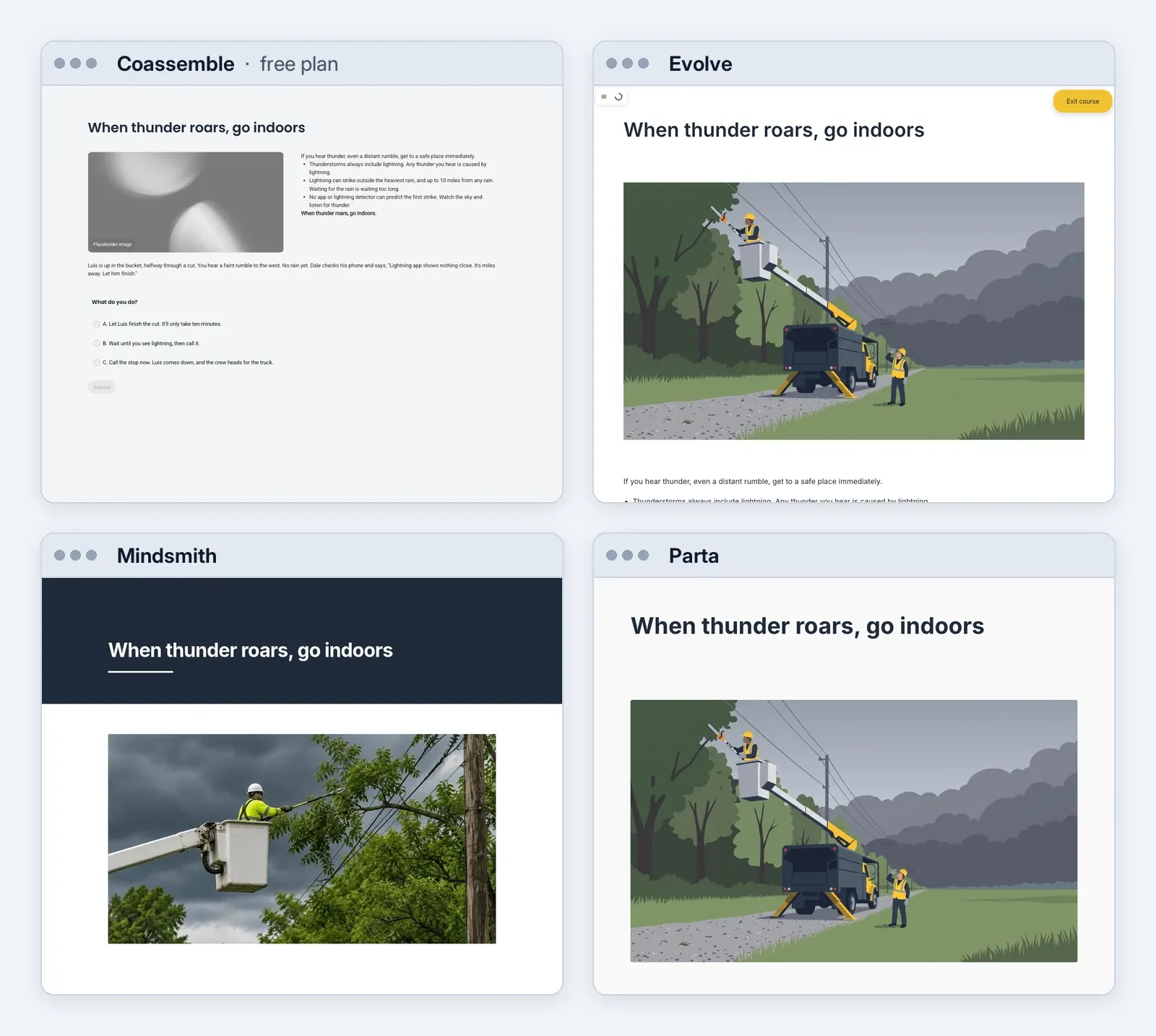
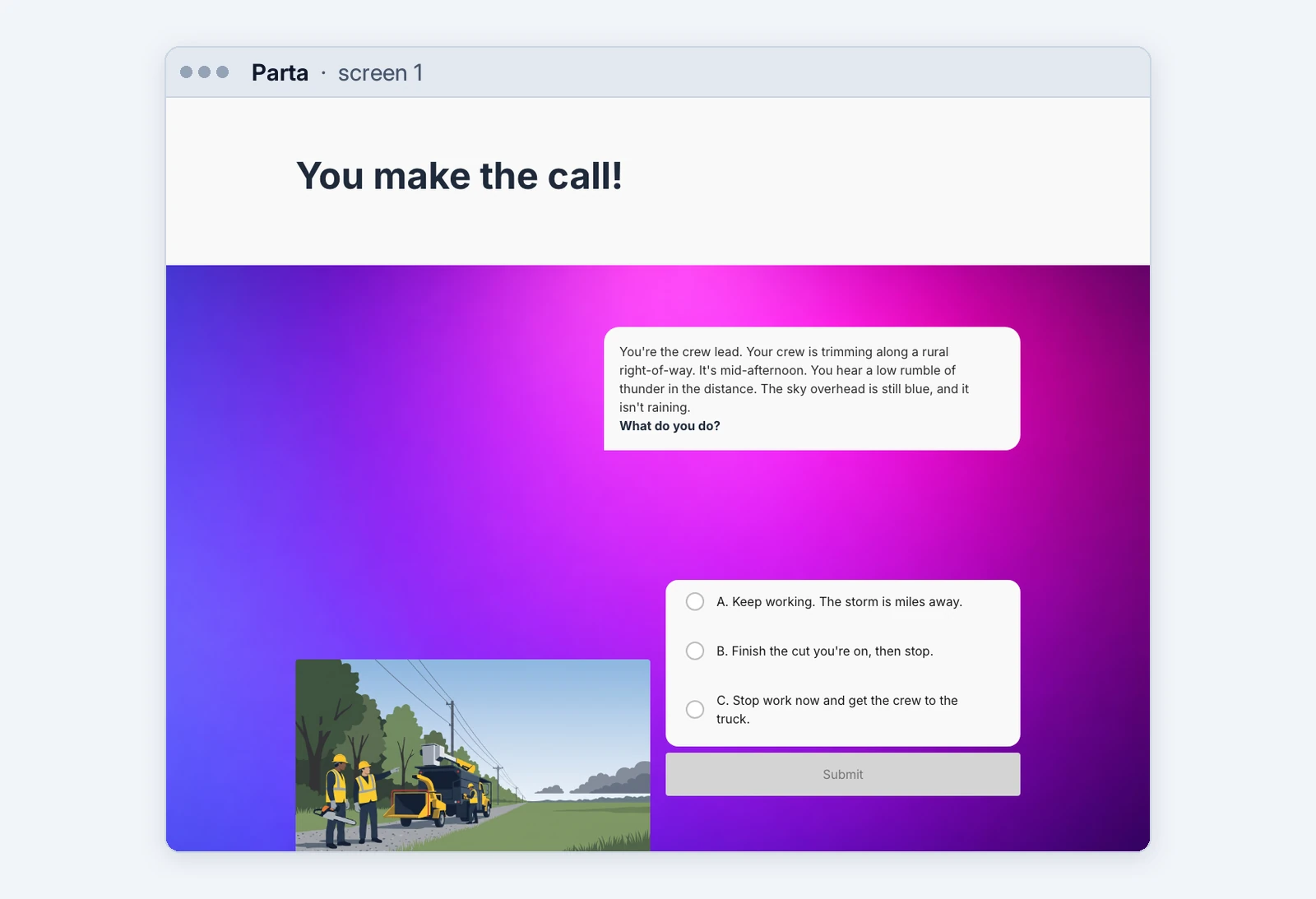
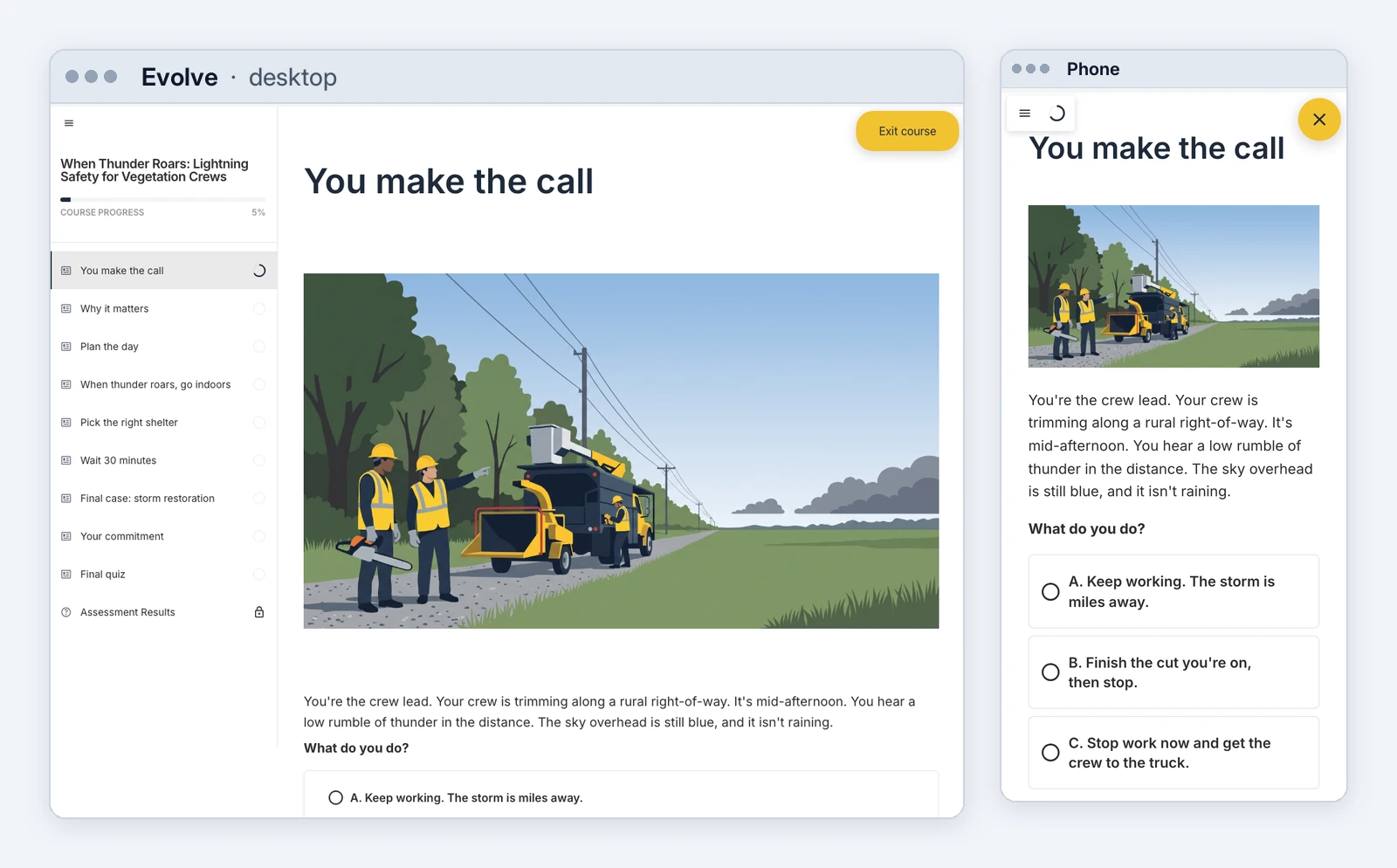
Screen 4 of the full design, in all four tools. Same words everywhere; the supplied image in two; the brand in two.
2. “Done” isn’t done
This is the biggest challenge with AI in general. Every agent finished with a confident report. Reading the courses back turned up problems the reports didn’t mention.
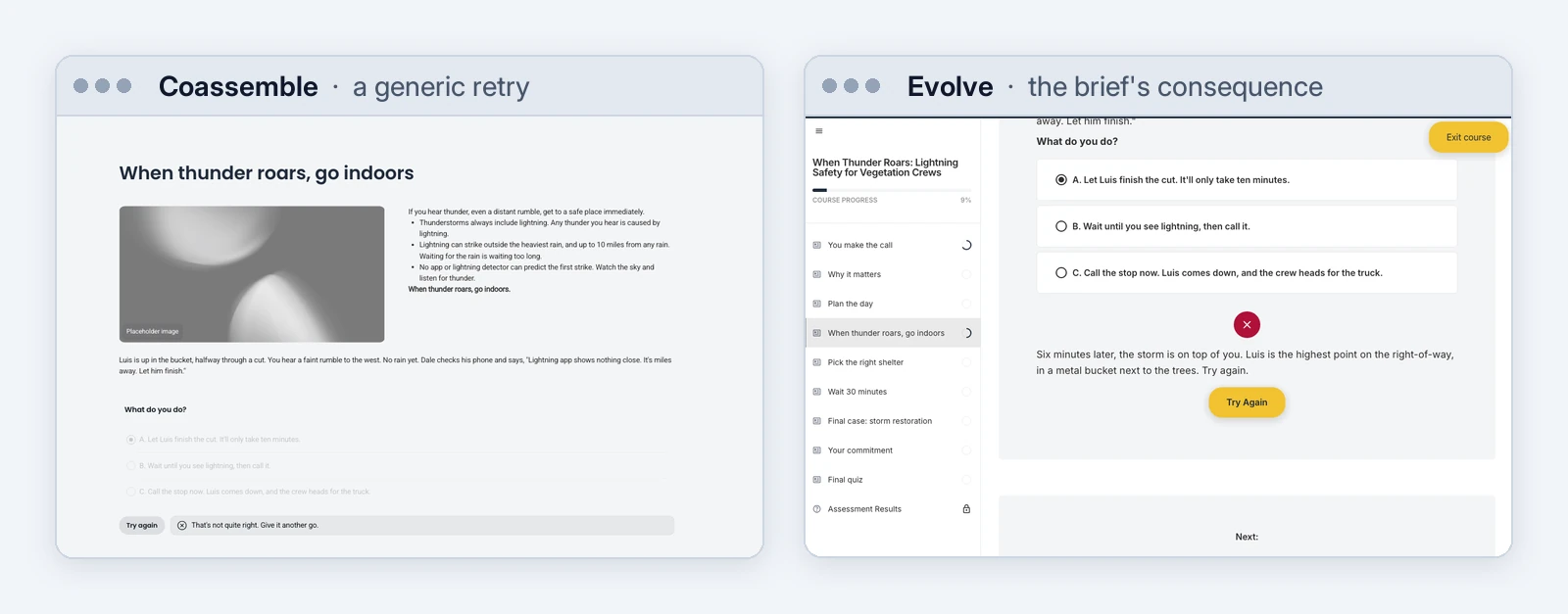
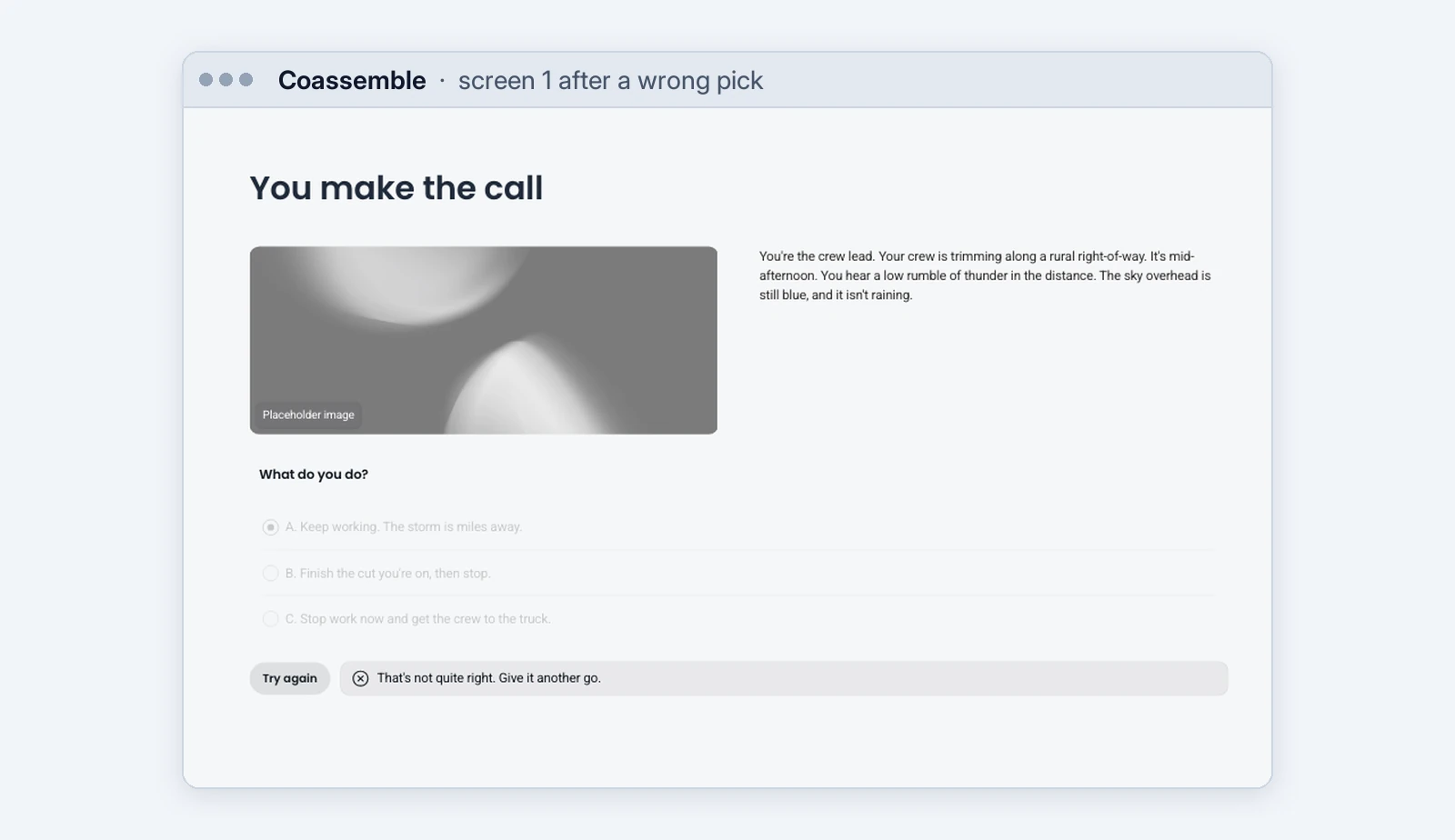
- Coassemble’s player didn’t show the consequence the agent wrote. On a wrong answer the learner sees only “That’s not quite right. Give it another go.” Nothing tells them why the answer was wrong.
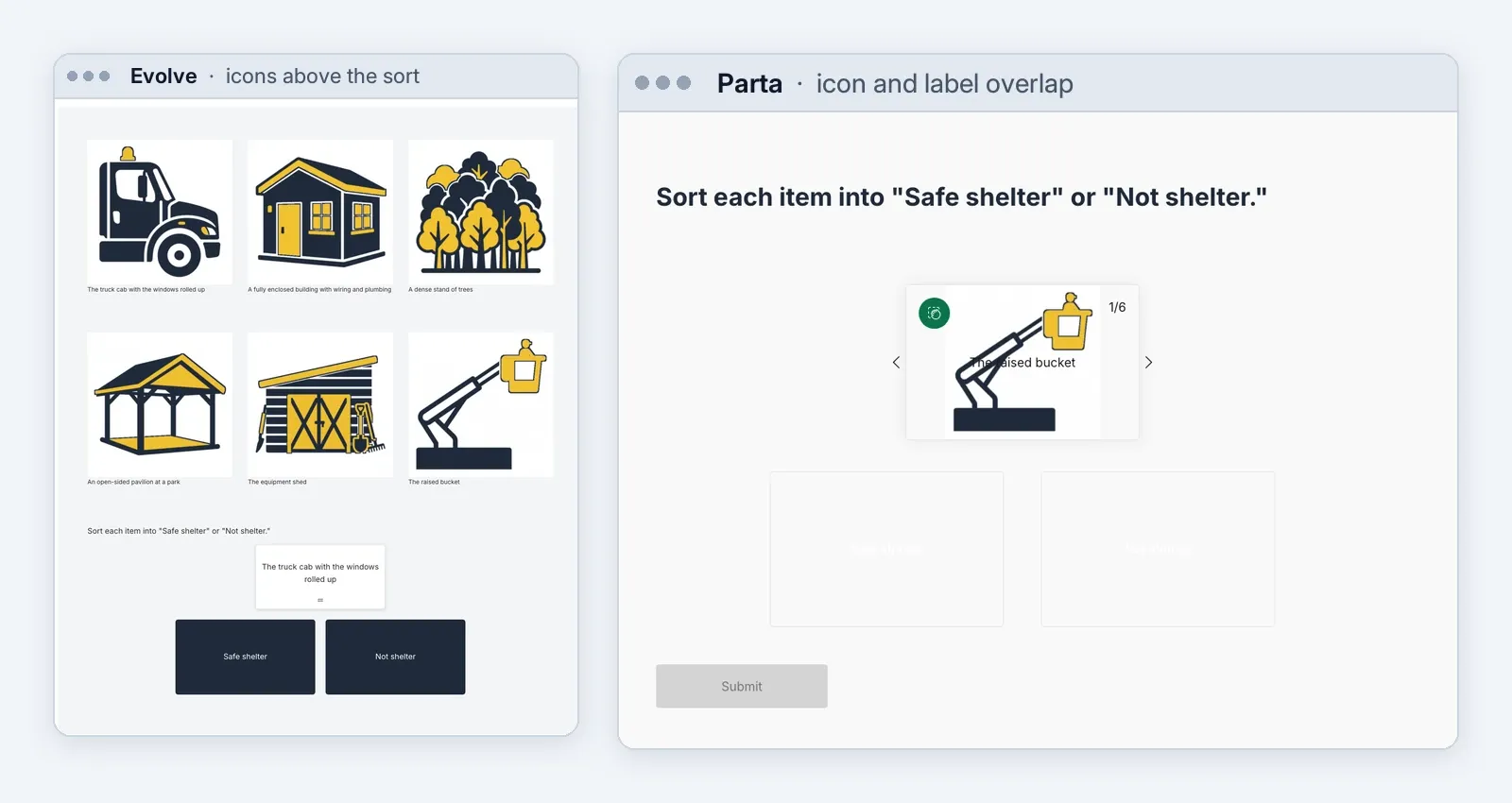
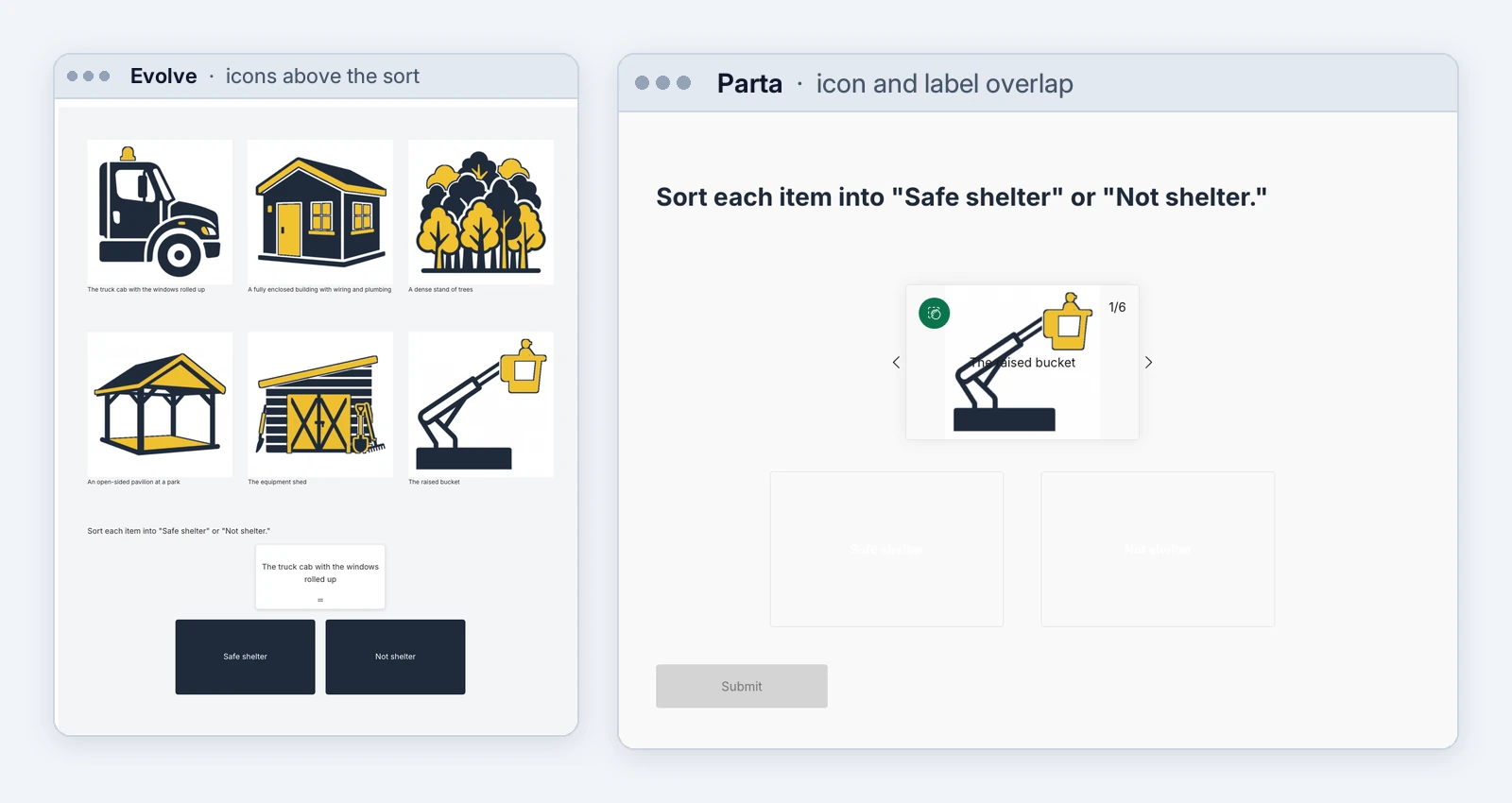
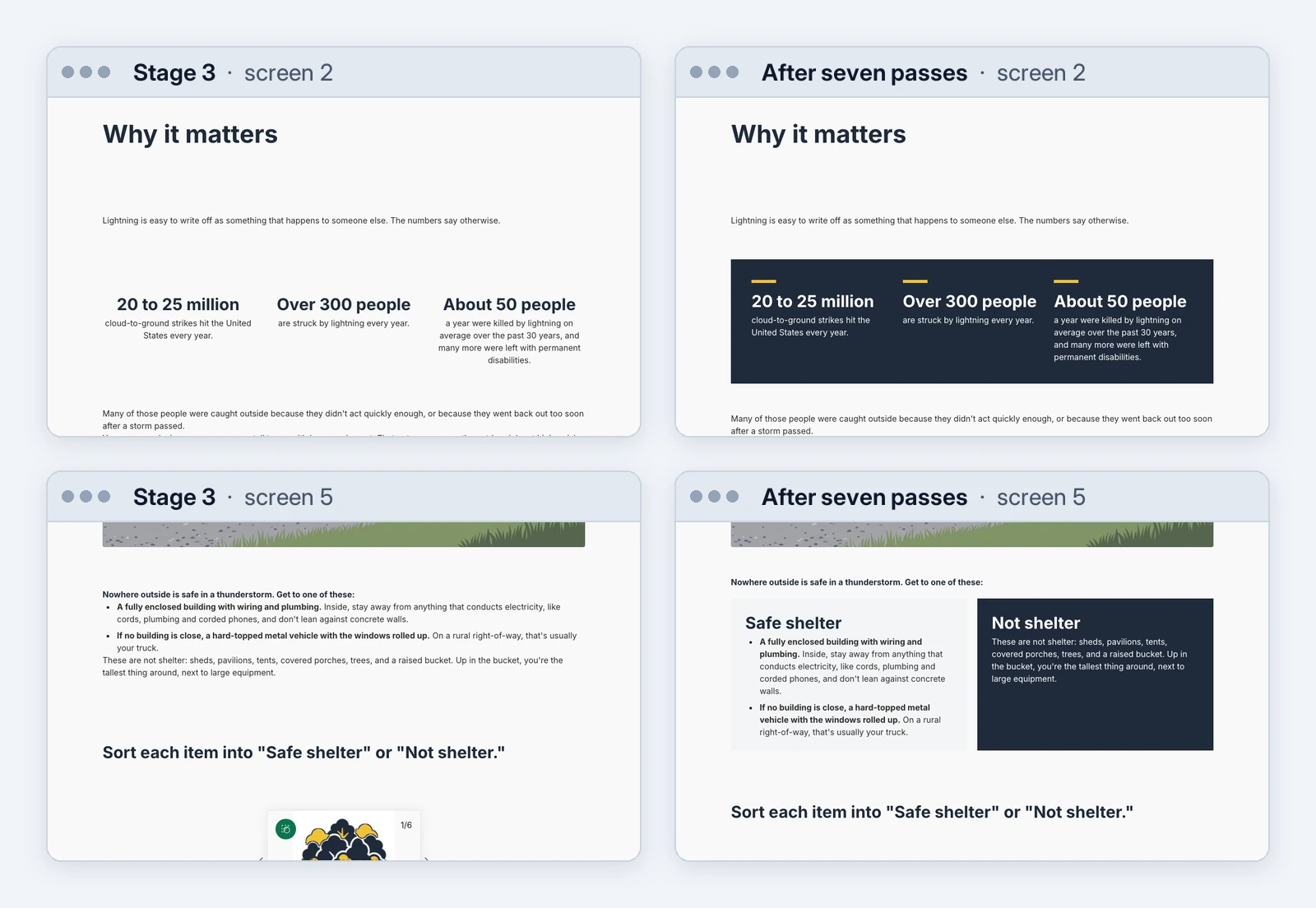
- Parta printed each sort label across its icon, and the drop zone labels came out white on near-white, a contrast ratio of 1.05:1 where accessibility guidelines ask for 4.5:1.
- An accessibility scan found problems no agent mentioned. Evolve’s course failed color contrast in 18 places. The scan used axe, a free tool that checks web pages against accessibility guidelines. It found that Coassemble’s answer buttons didn’t have labels a screen reader could announce. Two Coassemble courses also declared their language as “english” instead of a valid code like “en,” and a screen reader uses that code to pick the language and voice it reads in.
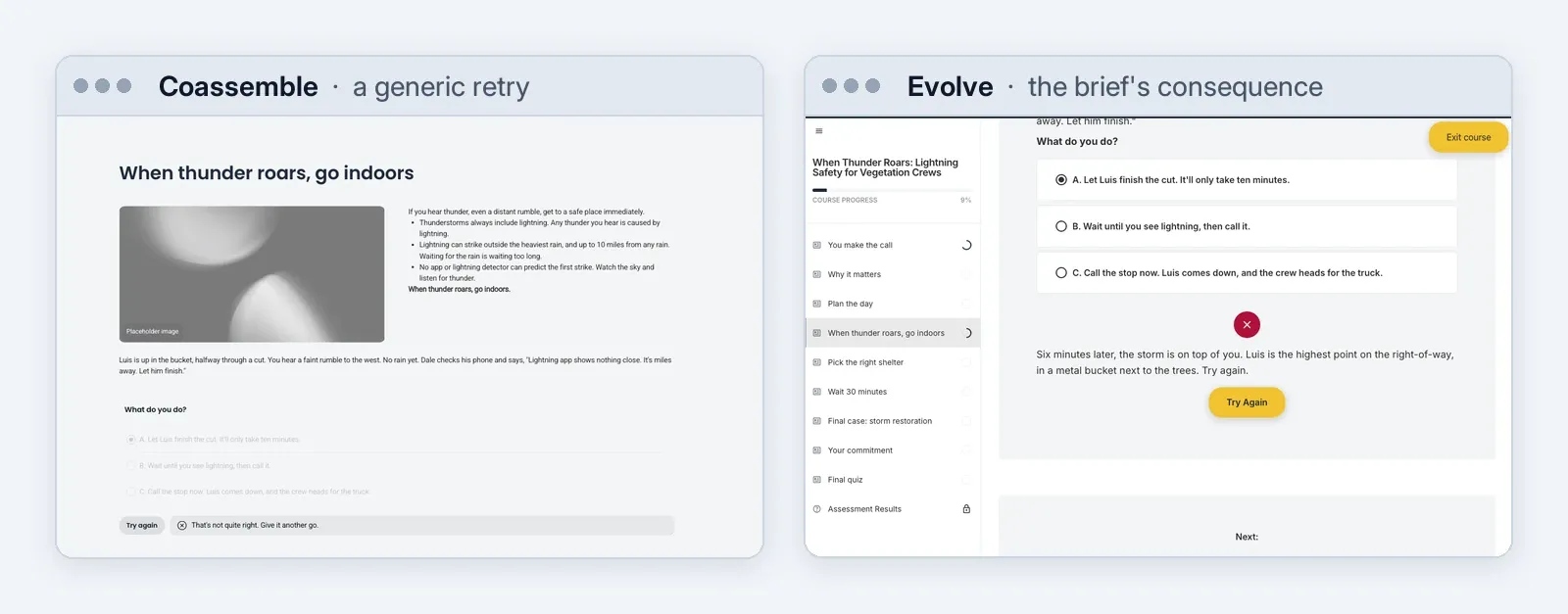
Reviews done through the connection need checking too. In Parta, the review pass reported that the quiz would let anyone pass, whatever they answered, and changed it to “fix” that. The problem was never there: in the player, a learner who answers every question wrong scores 0%. In Mindsmith, the change request reported every “crew lead” changed, but it missed one that was left in the course description.
Mindsmith was unique in that its connection lets the agent take screenshots of the learner’s view and run checks for alt text, contrast and broken links, and the agent fixed what it found. It was the only one of the four that let the agent see its own work natively. With the others, you can still show the agent the course another way, like publishing it and pointing a browser tool such as Playwright at it, but that isn’t built into the connection.
3. Multiple passes beat one prompt
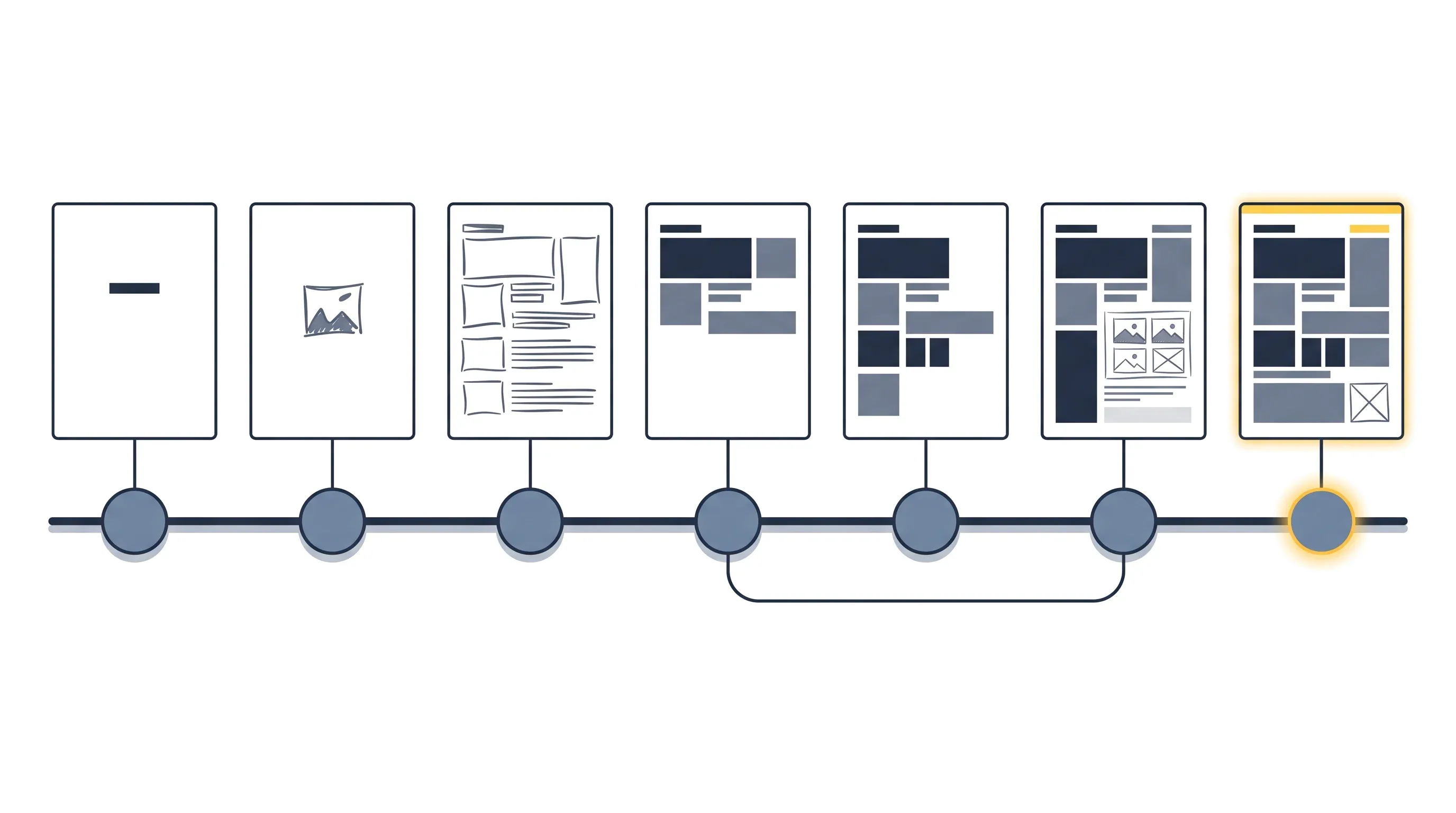
One prompt and done is where a lot of “AI slop” comes from. So I gave all four platforms seven more passes at their stage 3 course, which is the way I’d work with an agent on a real project. It improved the course, reviewed it twice, attacked it, checked accessibility and signed off, handled a late change request, and made a Spanish version. All seven passes took 19 to 35 minutes and $12 to $20 per course.
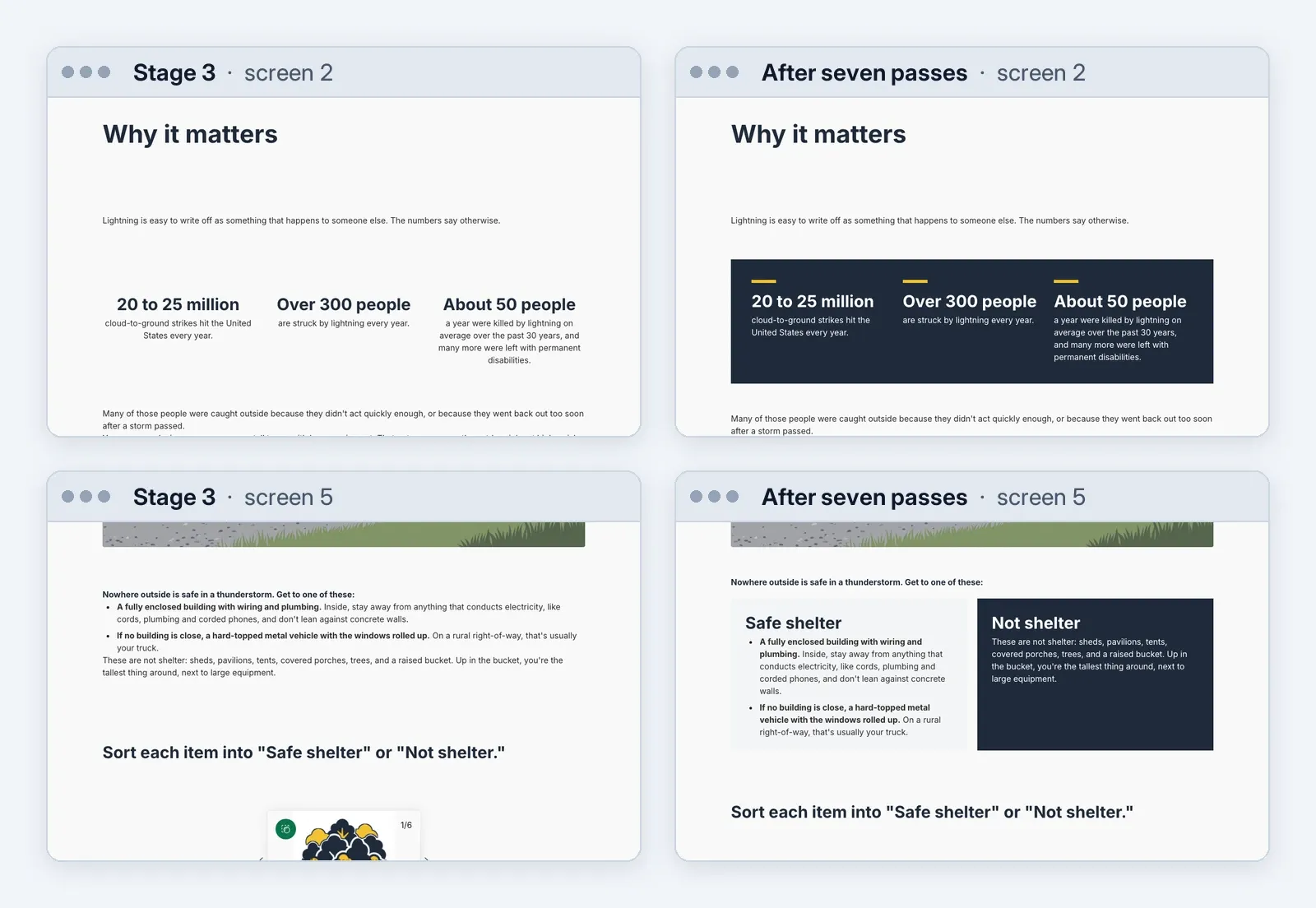
The improve pass added the brand. Parta’s improve prompt told the agent to use Block Builder, a second Parta connection it had ignored in stages 1 to 3, and it built custom panels in the brief’s navy and yellow. In Coassemble, the improve pass changed nothing. On the free plan it couldn’t upload my images or create a theme, and it reported that limitation correctly instead of saying the pass was done.
Running the same review prompt twice still turned up new issues in Evolve, Mindsmith and Parta. In Coassemble, the second run found nothing new. Then the adversarial pass, told to assume the course was wrong and prove it, found errors in the brief I wrote. Run separately on each platform, it found the same four every time:
- Luis “in a metal bucket,” when line-clearance buckets are insulated fiberglass and a crew lead would notice.
- “Most people pick A or B,” a claim without a source in the original material.
- A consequence that said “There was no warning” on a screen whose lesson is that the rumble was the warning.
- Right answers that gave themselves away by being the longest option.
Does the right answer still stand out by length?
1.28
The brief
1.04
Coassemble
0.94
Evolve
1.00
Mindsmith
1.04
Parta
The length of the right answer divided by the longest wrong one, averaged across the course. Close to 1 means length no longer gives the answer away. All four ended near 1. With only a handful of questions per course, the differences between them are noise.
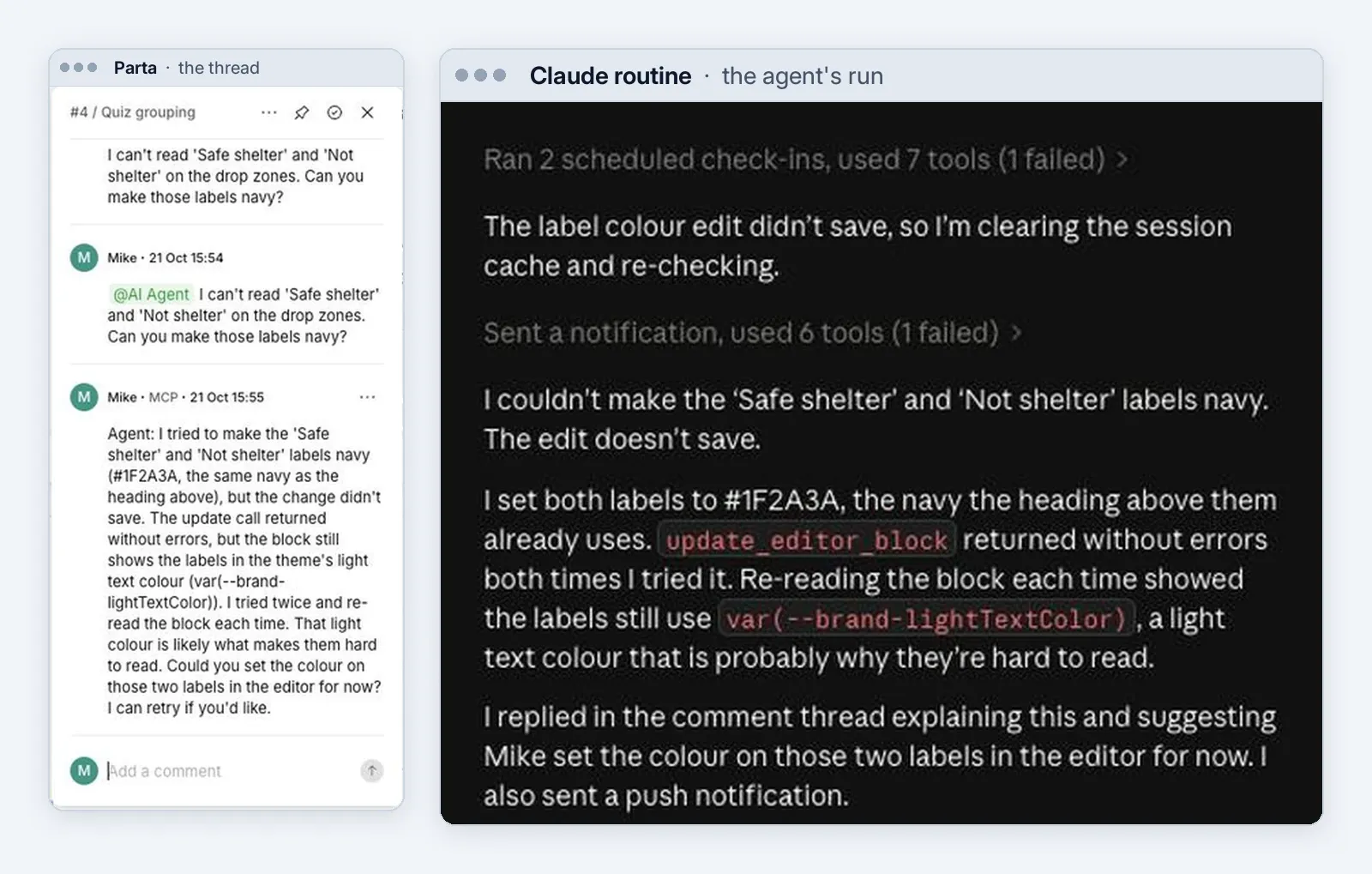
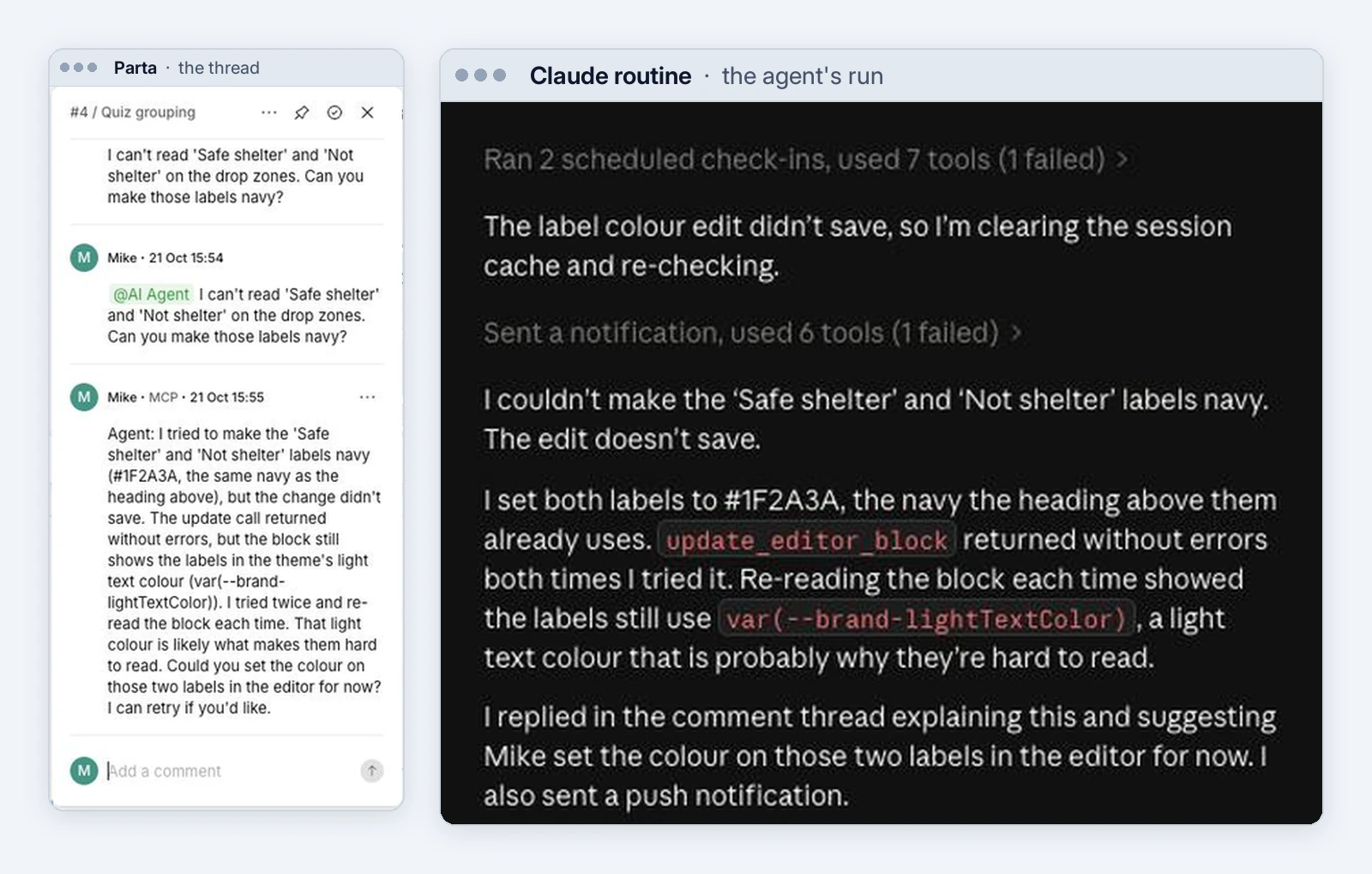
Review comments worked in both directions. In Evolve and Parta, the sign-off pass left comments at the spots that need a person in the editor. Parta goes further, and it’s the only platform here that does. Its comments can fire a webhook, so you can comment right in the project, tag the agent, and the agent is triggered to make that one edit and reply in the thread. Working one change at a time like that generally gets better results than a bulk edit, where the agent is more likely to miss something. I pointed the webhook at a Claude routine, tagged it on the unreadable sort labels, and about a minute later it answered in the thread. It had tried the fix twice, found the change hadn’t saved, and said so instead of claiming it was done.
For the late change request, I asked each agent to change every instance of “crew lead” to “foreman,” including in the alt text. It took one to two minutes on every platform. Translation went less well. Coassemble’s built-in translation is blocked on the free plan, so its agent translated the text itself. Parta’s built-in machine translation turned “What do you do?” into “What’s your job?” and lightning strikes into labor strikes, so its agent rewrote 38 of 43 blocks. All four Spanish versions still need a native speaker who knows the crews to review them and make sure everything came out right. Coassemble and Parta have translation built into the platform (Coassemble’s needs a paid plan), and Evolve can hold several languages in one course. A dedicated localization workflow, or a second adversarial pass on the Spanish itself, would likely do better. I didn’t run either in this test.
4. What this does to the job
Last year, building a course by hand in Evolve took me 104 minutes and 3,220 clicks. This year the agent built a similar-sized course there in under 10 minutes, with 5.4 million tokens that would cost $3.65 on the API, and I didn’t click anything. Seven passes of improving and reviewing it took another 27 minutes. It was a different course, so it isn’t a clean comparison, but it shows the scale of the change. The next post rebuilds last year’s exact course with the agent on each platform, for a one-to-one comparison.
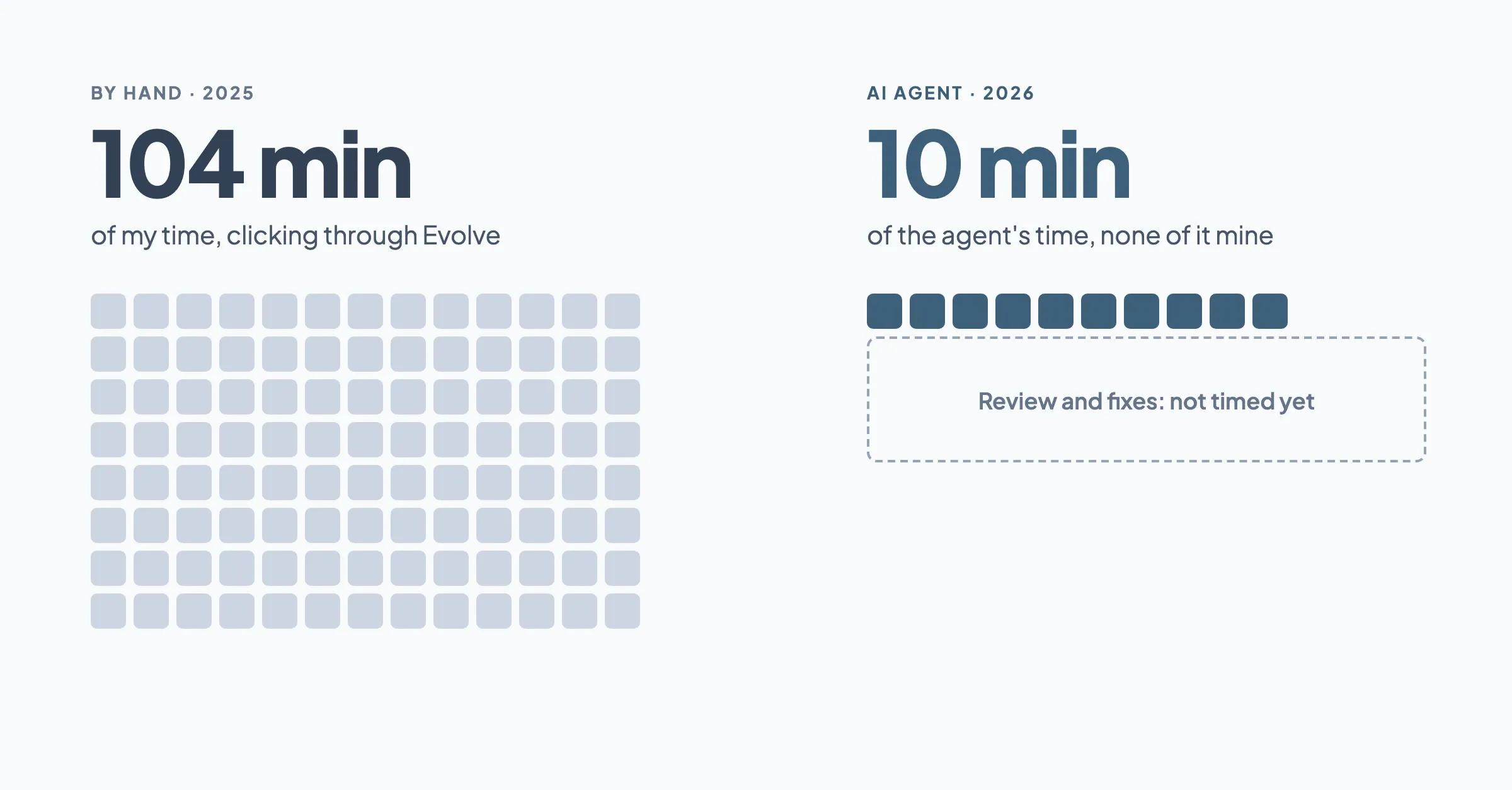
One square per minute. Gray is my time building by hand in Evolve in 2025; blue is the agent’s build time in 2026. The dashed box, review and fixes, is the part I haven’t measured yet. That’s the next post.
What this means for development moving into 2027
The development line on an estimate shrinks, and review takes its place. Writing the prompts took me minutes. The brief took longer, but it’s design work I’d do for any course. The rest of my time went to the back end: reading each course back, checking it against the brief, catching the problems above and working with the AI to fix them. An estimate that counts screens and interactions will need a new model.
Access isn’t skill
Giving a team these tools doesn’t make anyone a good designer. It gives them the means to make more courses faster, and without the skill behind it, that means more slop, faster. Enablement is two things. One is using the technology. The other is using it with the practices that make the output worth something. These are the ones that made the biggest difference:
Write the brief before you build
The jump from stage 1 to stage 3 came from the brief. The tool stayed the same.
Give it the source and lock the words that matter
No agent taught the outdated lightning crouch, and none rewrote approved text.
Work in passes
One prompt gets you a draft. Review, adversarial and accessibility passes get you a course.
Check outside the agent
Read the course back, play it through and scan it. An agent’s “done” doesn’t count as the check.
Questions to ask a vendor about its MCP
- Who writes the content, the agent or your AI?
- Can it edit a course that already exists, in bulk?
- Can it place my images and apply my brand?
- Will it ever generate an image without asking?
- Can it build a choice that isn’t scored?
- Can it check its own work?
- What can it delete, and can I undo it?
- Can I export the course files, like a SCORM package, through the connection?
- Is there more than one connection, and do your guides tell the agent about all of them?
Will AI agents replace instructional designers?
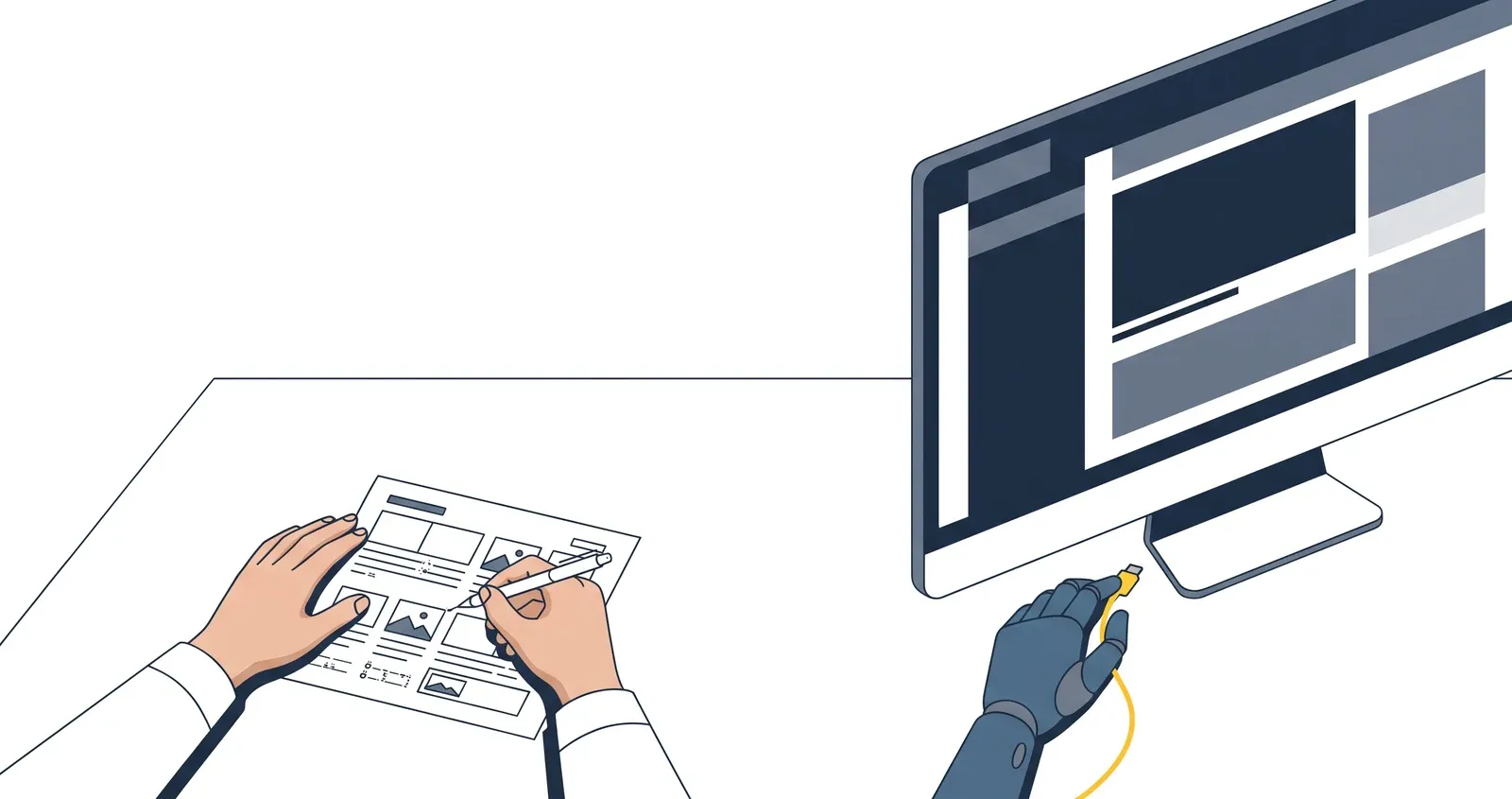
What the agent did well
- Built a full course in minutes, in every tool
- Placed every word of an approved brief
- Turned one paragraph of design guidance into scenario courses
- Found real errors when told to look for them
What it still needed me for
- The design: the audience, the scenarios, the brief
- Images and a brand that someone had vetted
- Judging quality: whether the scenarios ring true, whether the language sounds like a crew lead, whether the right answer gives itself away
- Deciding what to fix, and what good looks like
Everything here is what you get from an agent with no other work: a course built in minutes, and a list of problems only a designer would catch. The manual work doesn’t go away. You still need to QA, still need to check, still need to fix. You just don’t need to be the first tier of the build anymore, and you don’t spend your day clicking. That was my biggest complaint in last year’s test, with Storyline as the baseline. I spent too many clicks building when I should have been focused on design. This time I didn’t click anything or even open the editor.
AI agents can do a lot of the work, but they still need you. Designers are necessary. The difference is that designers who can use these agents to build a course the way they want are going to be able to replace designers who are still doing it by hand.
Limitations
This is one person’s benchmark, not a controlled study, and it has limits worth knowing:
- One attempt each. Every stage and every pass ran once. A second run would differ in the details, though the gaps that come from what each connection can do wouldn’t move.
- Unequal plans and moving targets. Coassemble ran on its free plan, and the platforms changed during and after testing (see the note near the top). Parta released version 3.0 of its connection after I finished.
- Last year’s course was a different course. The by-hand comparison shows scale, not a clean ratio.
- My review time isn’t measured. The agent’s time is. The time I spent checking and fixing isn’t yet, and that’s the next post.
- Accessibility scans were partial. They covered Coassemble, Parta and Evolve’s stage 3 course. Mindsmith’s lessons were made public after the scans ran, so they weren’t scanned.
- One pass took a detour. Evolve’s first pass got a prompt that still mentioned Parta’s Block Builder, and it read three Parta guides before moving on. It changed nothing in Parta, but that pass’s time and cost run high.
Explore the results

Compare what each connection could do, see the time and cost of every build and pass, play the courses side by side, flip through the screenshots, and read how I ran it and where the test falls short.
What each connection let the agent do, feature by feature.
Does it Partly, or with a catch Not through the connection In its list of actions, not tested here
Coassemble
Free plan
The fastest and cheapest builds, partly because its connection does less: no image upload, and no theme on the free plan.
Worth a look if you want to try an agent-built course for free.
Connection: 57 actions · about 27,000 tokens to load
Evolve
Paid plan · beta connection
The most logic: triggers, branching and a full custom theme, and the agent used them without being asked.
Worth a look if you need branching and your own brand.
Connection: 4 actions that open 125 more · about 2,500 tokens up front
Mindsmith
Paid plan
The only connection that lets the agent see and check its own work without a browser. It can’t upload your images, and the agent generated pictures in their place.
Worth a look if you want the agent to check its work and you don’t need to supply images.
Connection: 70 actions · about 58,500 tokens to load
Parta
Paid plan
The most layout and media, and the brand once the agent used Block Builder. The most expensive in tokens.
Worth a look if you need your own images placed and SCORM files out through the connection.
Connection: 95 actions, plus 10 in Block Builder · about 45,500 + 34,000 tokens to load
Places your own images
- Coassemble
- No upload; left placeholders
- Evolve
- 13 of 14; can’t set the cover
- Mindsmith
- No upload; agent generated stand-ins
- Parta
- 14 of 14
Applies your brand
- Coassemble
- Paid plan only; colors need a format the MCP doesn’t document
- Evolve
- Full custom theme
- Mindsmith
- Theme applied
- Parta
- Assigns a brand; custom panels via Block Builder
Builds a choice that isn’t scored
- Coassemble
- Locks the screen until “correct”
- Evolve
- Needs one answer marked correct
- Mindsmith
- Yes
- Parta
- Yes
Logic and branching
- Coassemble
- No
- Evolve
- Triggers and branching
- Mindsmith
- Branching tiles
- Parta
- No
Icons on sort cards
- Coassemble
- Sort rebuilt as dropdowns
- Evolve
- Icons above the sort
- Mindsmith
- No image field on cards
- Parta
- Yes, but the label overlaps the icon
Places every sentence of the brief
- Coassemble
- 140 of 140 saved; feedback never shown
- Evolve
- 140 of 140
- Mindsmith
- 140 of 140
- Parta
- 140 of 140
Tested October 2026, one attempt per platform and stage. Coassemble ran on its free plan; the others on paid plans the vendors provided. Connections change fast.
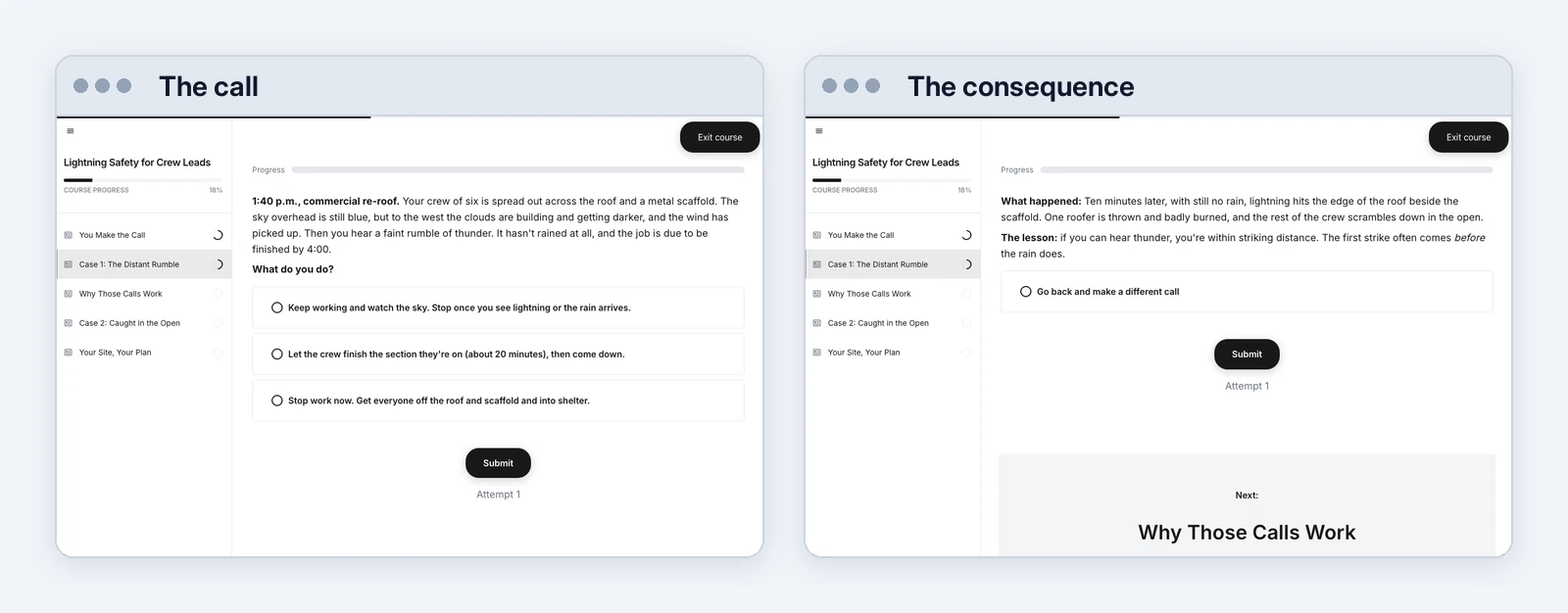
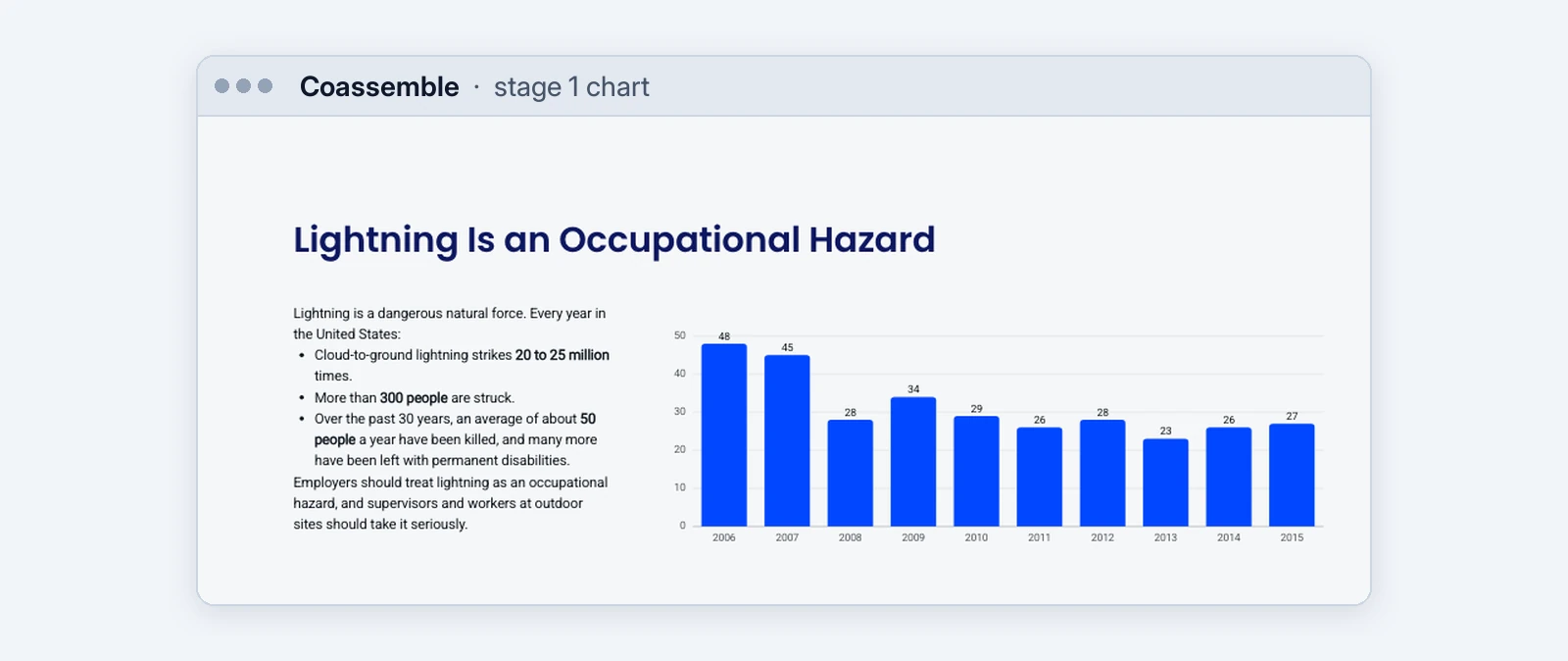
Every course is also posted at idatlas.github.io/MCP-Benchmark as it came out of each tool, with no fixes. The prompts, the brief and the images are in the design pack, so you can run the same test in your own tool.
What about Articulate’s MCP?
Articulate announced an MCP connection this year, so I ran my three stages through it too. It can’t build a course. The connection has two actions: one lists your courses, and one hands a brief to Articulate’s own AI, which writes a Rise outline. Nothing edits, uploads, themes, publishes or exports, so once the outline exists, the agent can’t touch it. Given the full design, Articulate’s AI also reworded all 12 of my objectives and wrote a summary in its own words, where every other tool kept the brief’s text. To me it’s essentially unusable, so I left it out of the comparison. Coassemble’s free plan does far more than Articulate’s MCP, which only works with Rise as of this writing.
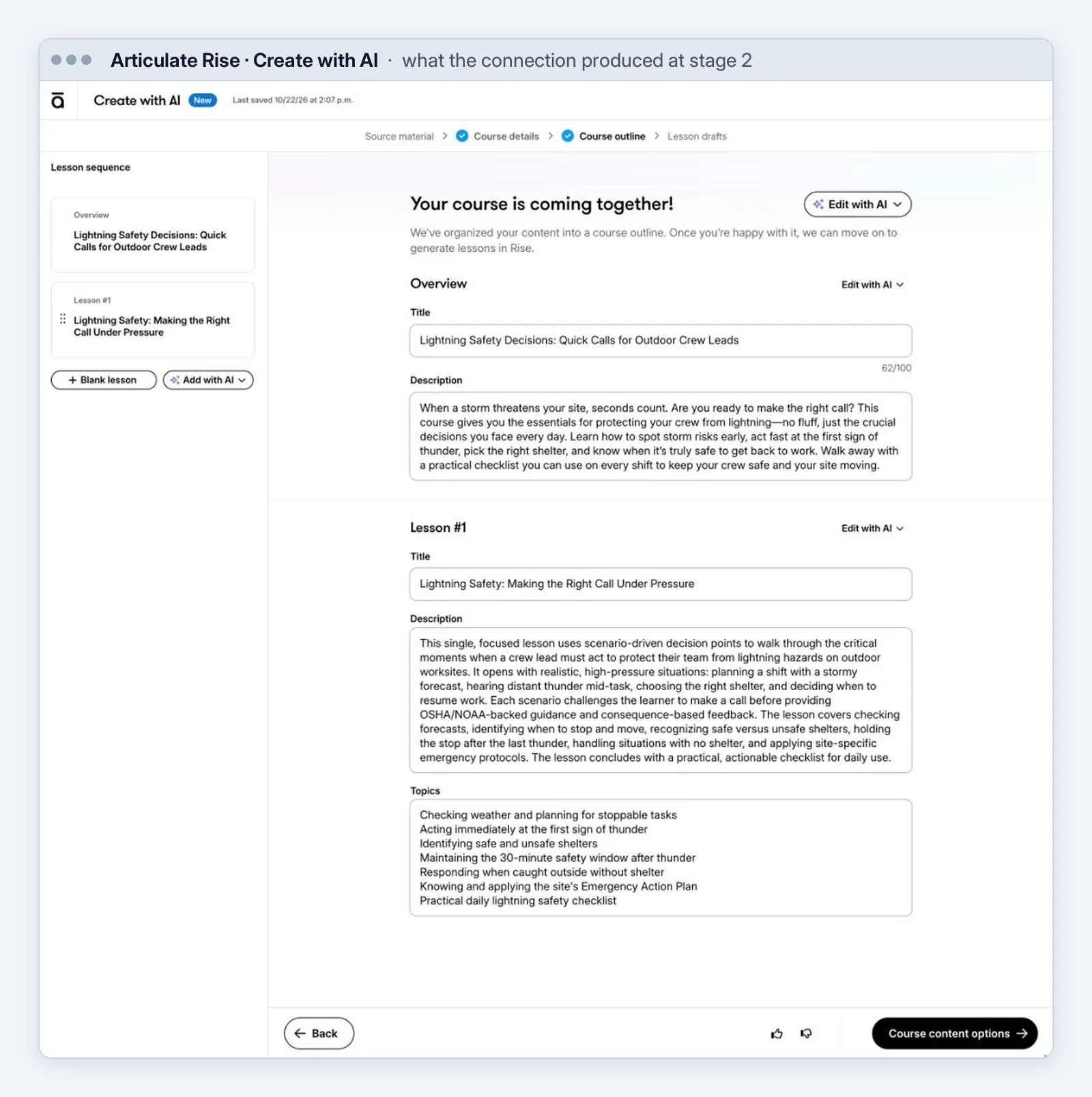
This is where the connection leaves you, shown for the stage 2 course: Rise’s Create with AI flow at the Course outline step, with a title, description and topics written by Articulate’s AI. Nothing is built until someone clicks through to generate the lessons in Rise.
Disclosure: Evolve, Mindsmith and Parta each gave me access to their paid plans for this test, and I used Coassemble’s free plan. I tested Articulate on a colleague’s account. None of them saw this piece before it went up. Separately, Parta is bringing me to DevLearn in November. All of the testing was done the same way on every platform, with no preferential treatment.