
Project · July 3, 2026
I'll never manually record e‑learning voiceover again
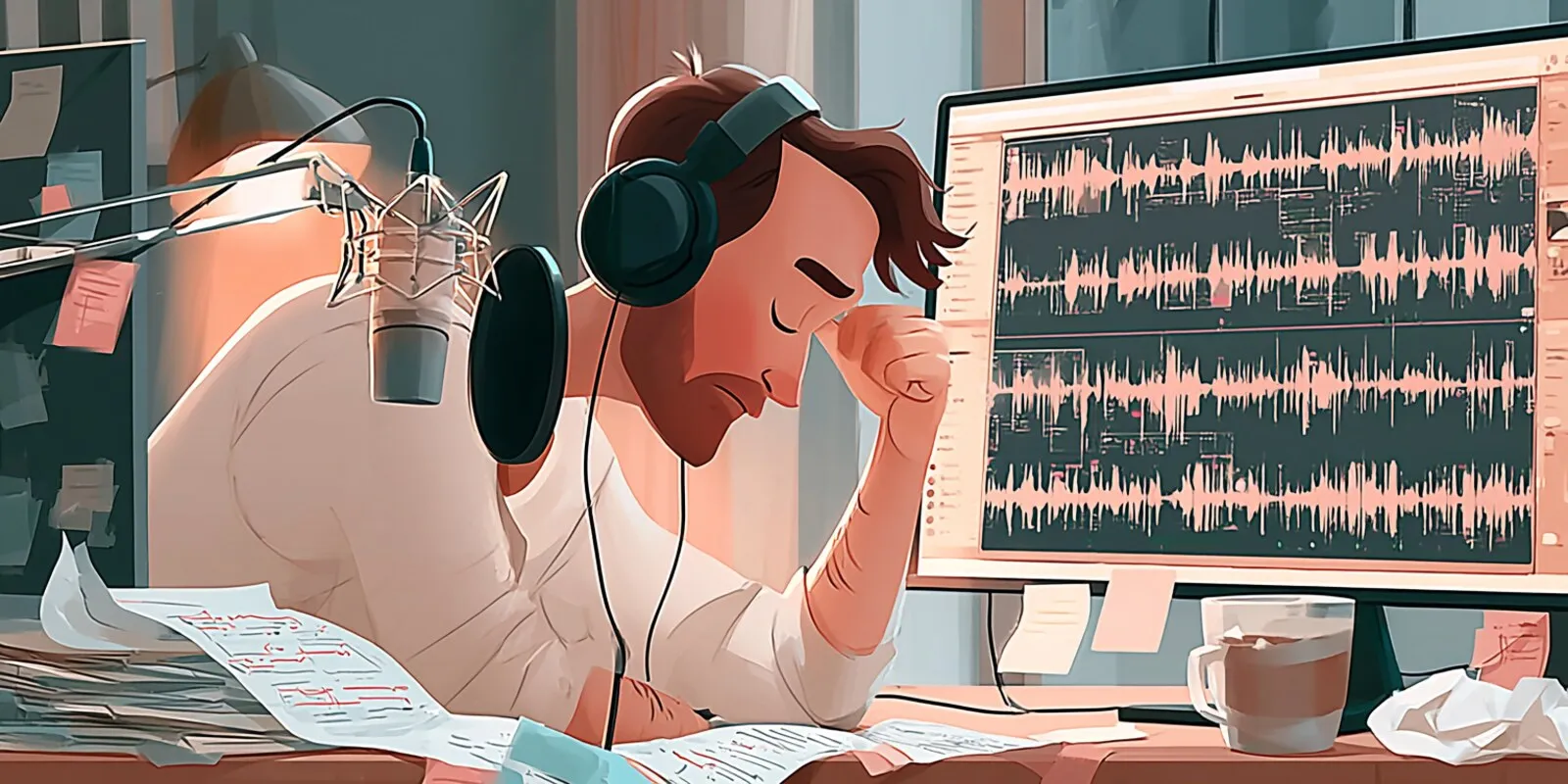
Generating AI narration with ElevenLabs and recording it myself used to take about the same amount of time. The AI version was faster to generate but slower to edit. Recording was slower to capture, since someone has to sit there and say every word, but usually faster to clean up after. All I’d need to do was trim a couple of clips and maybe splice together a couple of takes, but as long as I’d done it before or the SME wasn’t recording for the first time, it went pretty quick either way.
At ID Atlas, we use AI voiceover for the flexibility. We can swap voices easily, generate variations, and come back a year later to regenerate a line in the same voice and the same setup. That kind of forgiveness is hard to get from a human with a busy schedule.
But when Claude Code became our authoring tool of choice, the small efficiencies began to add up. A lot of what used to be manual steps got automated once we started working through APIs and the command line. After wiring the ElevenLabs API into Claude Code, AI voiceover now has a much higher ROI than booking a voice actor, recording it ourselves, or tasking it to an SME.
I’m no longer clicking through ElevenLabs, generating a line, fixing it, regenerating, and waiting on it. Now I load Claude up with the lessons learned from past projects, give it access to read and write to the voice dictionary, and ask it to analyze the script for a list of words that might be tricky to pronounce, and it runs everything through the ElevenLabs API. It generates the voice, organizes and renames the files, downloads them, and drops them into the project, ready to play without me touching a single file.
Unlocking the code
Wiring in ElevenLabs was one piece of a bigger shift. Most of what we build at ID Atlas now happens directly in Claude Code, and that opens up a lot more than just e-learning. We can build full websites and web apps with the whole capability of code behind them, not just what an authoring tool will let us drag and drop. A lot of the projects we’d have built in Storyline or Rise a couple of years ago, we now custom-build from scratch, with none of a platform’s limits on how they look or work.
The module below is an example of the kind of course we build this way. It’s a live demo, so you can click and play through it right here, or open it in a new tab:
The rest of this post walks through the process, shares some of the best practices I’ve found when working with the API, and links to the full code so you can clone the repository, poke at it, and add on top of it. The paper-airplane course was built specifically for this post, but the structure, the layout, the look and feel, and the way it works were all built and delivered for a client.
I’m mostly writing this because of how big the difference is. Once the script and the API are set up, it’s essentially one click. Claude runs the whole thing in the background while I get on with other work, and it can even run the audio back through Whisper to catch anything it mispronounced. ElevenLabs already does a lot on its own, but there’s still friction at every step: getting the script in, pulling the audio back out, splitting it, adding timestamps and captions, and dropping it into the project. Claude closes all those small gaps. Against recording every line one at a time, saving each clip, and splitting them out with no captions or timing, it isn’t close.
The setup
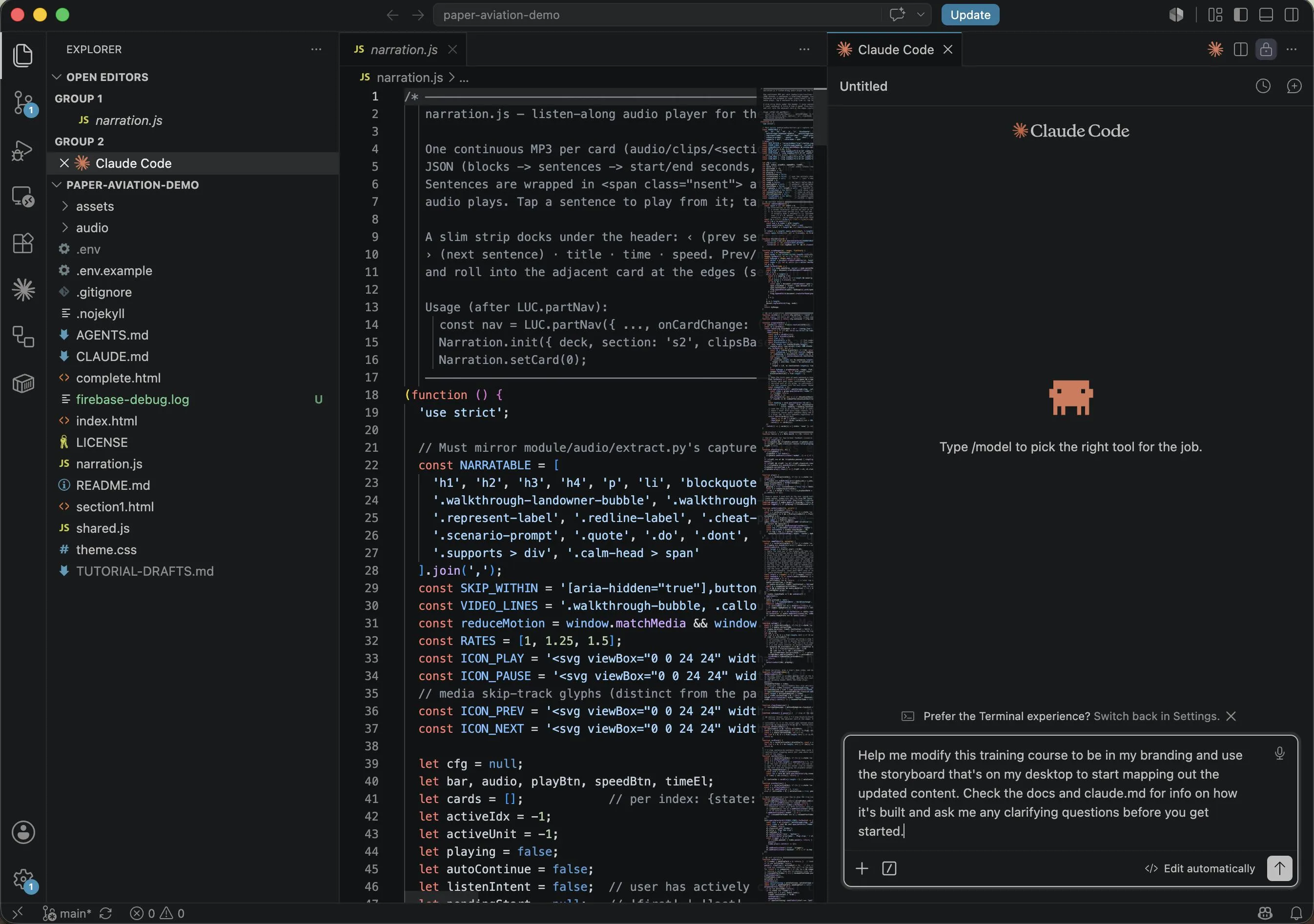
If none of this is familiar, the pieces are simple. Claude Code is Anthropic’s coding assistant. You can run it online in the browser, where it works in a sandbox, but I’ve found much more utility running it as an extension in the VS Code editor, right on my own computer. That local setup is what makes this work. It gives Claude access to my real files, the command line, and web search, so it can call the ElevenLabs API, rename and organize what it downloads, and even do light image editing, all without me stepping in.
ElevenLabs is the other piece. It generates narration from text and can clone a voice from a clean sample. Wire them together and the script you write turns into finished audio, tuned and timed exactly where you want it in the project, with no dashboard clicking or manual downloading.
That’s what we do now. We build e-learning directly in code instead of an authoring tool. For a recent project we connected the ElevenLabs API so Claude can generate the voiceover as part of the build. I write the script, Claude sends it to ElevenLabs, and the audio comes back ready to use in the module. The intonation and pronunciation have been exceptionally good, better than I expected and better than when I did it manually, including the emphasis and pacing that used to eat up my whole afternoon.
Keeping your API key safe
Running locally has another payoff. Your ElevenLabs key never has to leave your computer. In the browser, Claude runs on a remote machine, so to use your account you’d have to hand the key over, usually by uploading your .env or committing it to a repo Claude can read. Committing a key to GitHub is one of the most common ways people leak them, and it’s a bad idea even in a private repo.
If API keys are new to you, a key is a password that lets your code use a paid service like ElevenLabs, and you want it kept out of your code and out of any upload. The standard way to handle it is a .env file. It’s a plain text file in your project holding one line like ELEVENLABS_API_KEY=your-key-here, and your code refers to it by name, so the key itself never appears in the code.
How the narration syncs
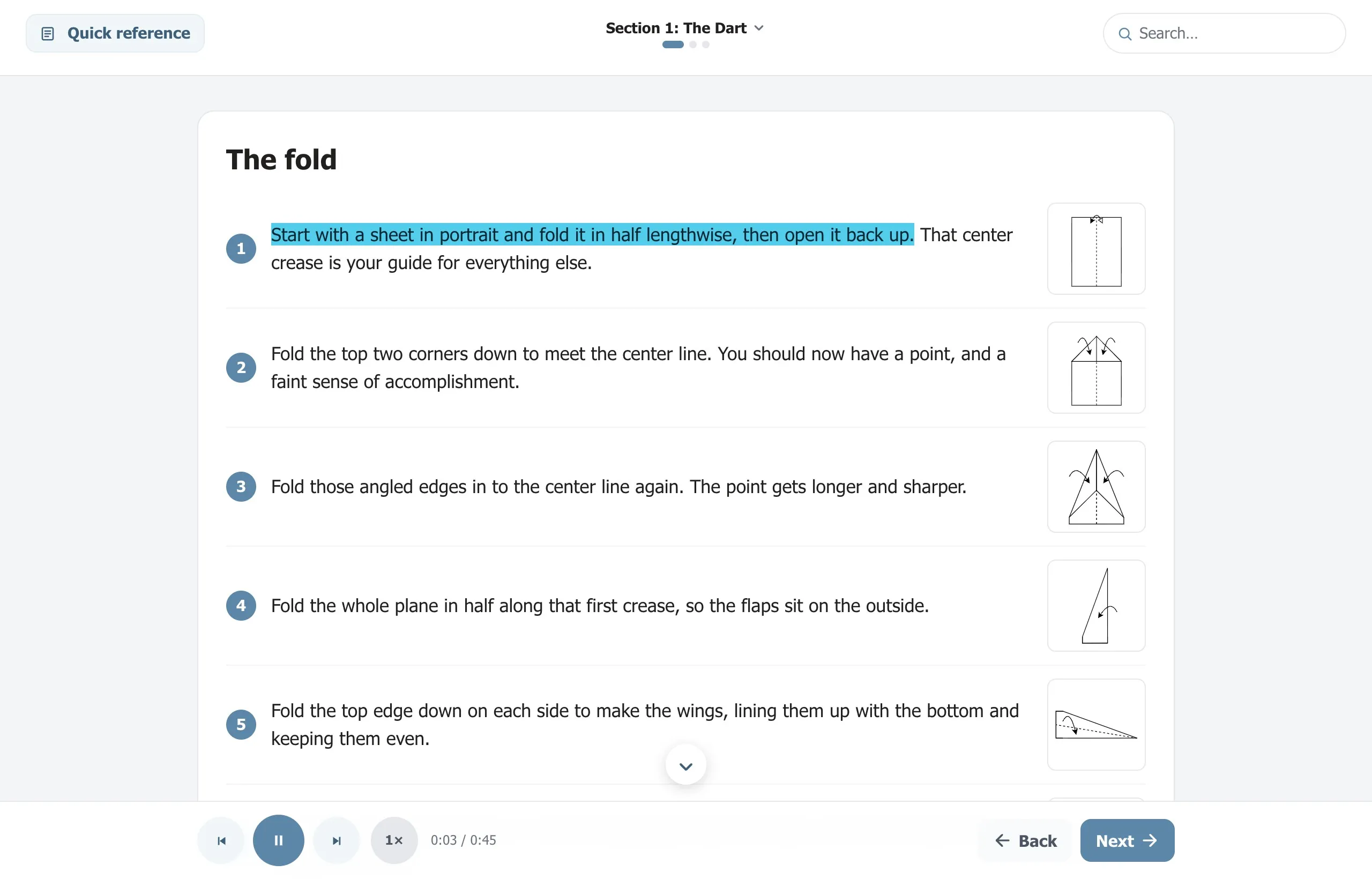
The narration syncs because ElevenLabs can return the audio with a timestamp for every word. Claude can then use that timing data to sync the audio to the on-screen text, sentence by sentence. Without it, you’d have the audio but no clean way to line it up with what’s on the page.
With those timestamps, I had Claude build a custom audio player into the module instead of the usual one-line audio block where the learner has to click through every clip one at a time. There’s a play/pause and a next/back button at the bottom of the screen, and the learner moves through the narration sentence by sentence, like an ebook reading itself out loud. They can pause, replay a line, or skip ahead.
Cloning a voice
But doesn’t AI narration just sound like AI? It can, but a good clone is a different story. ElevenLabs can clone a voice, and with between 30 minutes and two hours of clean audio you get a professional clone that sounds identical every time. Same recording environment, same speaking level, same distance from the mic, same stability, every single time. A real person can’t do that. A clone never catches a cold, never sounds groggy first thing in the morning or wiped out at 7pm. Record an SME today and again in six months and the room, the mic, and their energy will all have drifted.
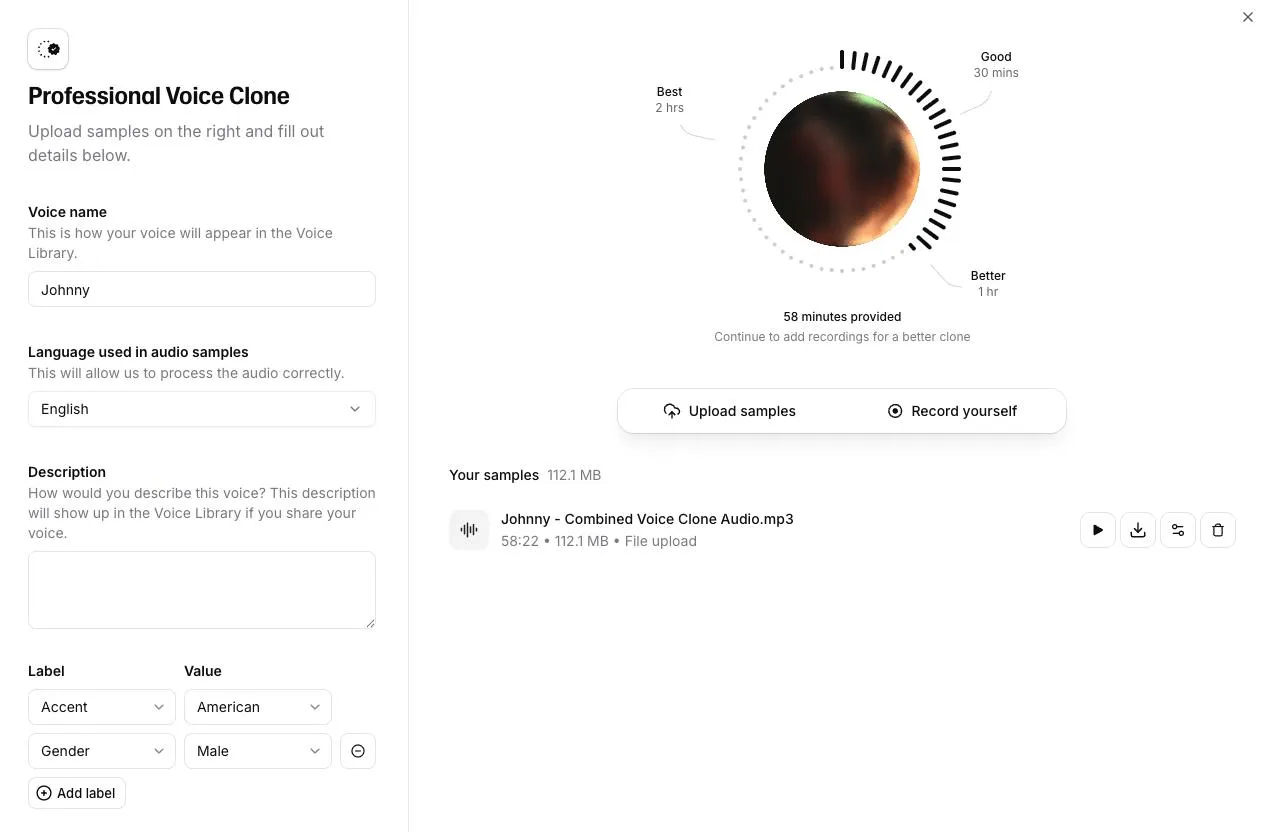
How good it sounds comes down to the samples you feed it. Give it clean source audio and the clone is hard to tell from the real person. On one project we played a client two clips and asked which was their SME and which was the AI, and they picked the SME as the AI. The demo itself uses one of ElevenLabs’ stock voices, but on client work we’ll usually clone the SME, so the narration sounds like the person learners already know.
What ended up in the demo
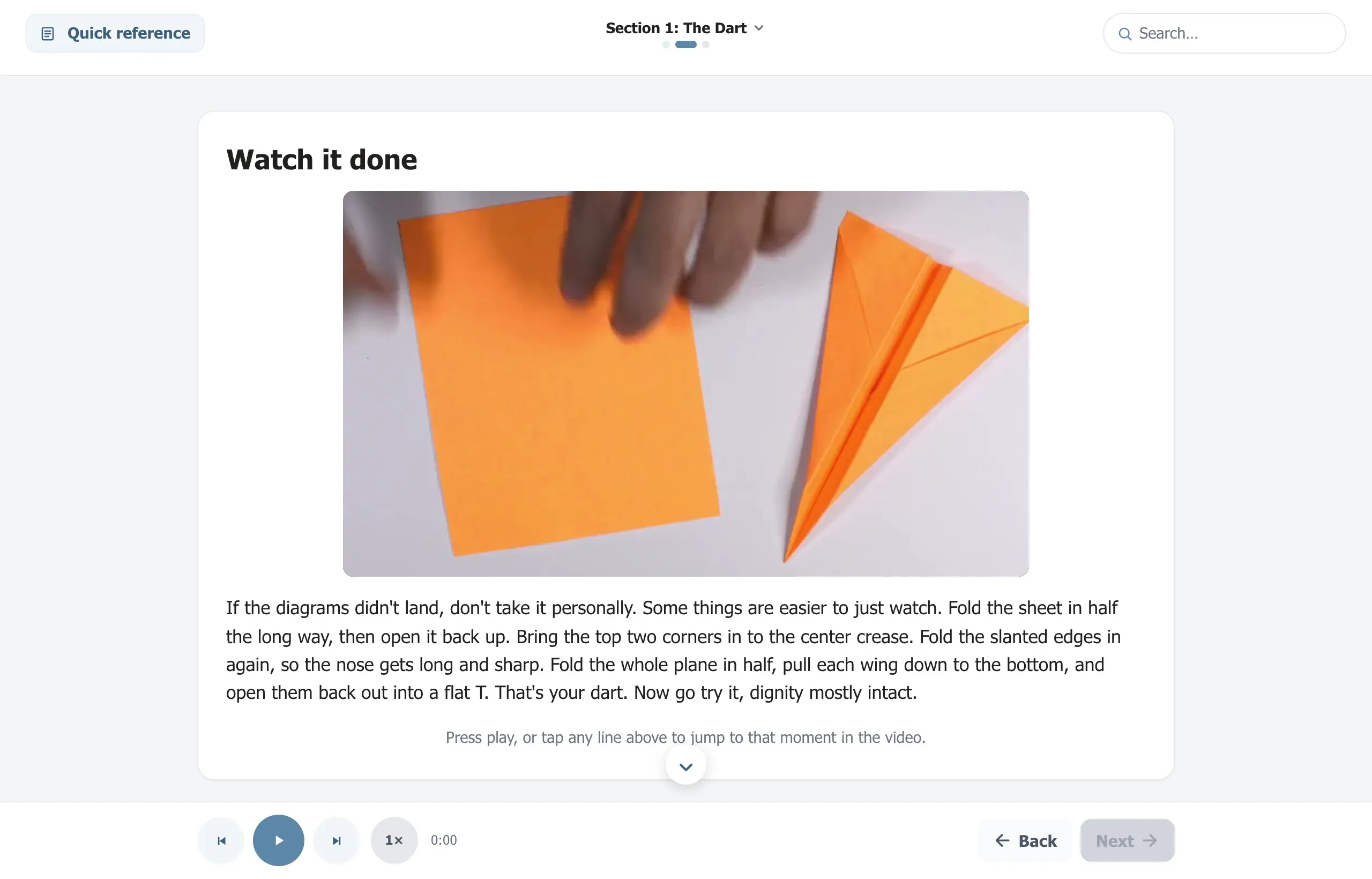
Beyond the narration, we built in the rest of what a course needs. One card plays a muted demonstration video while the narration talks over it, and the transcript highlights along the way. Tapping a line jumps the audio and the video to that moment together.
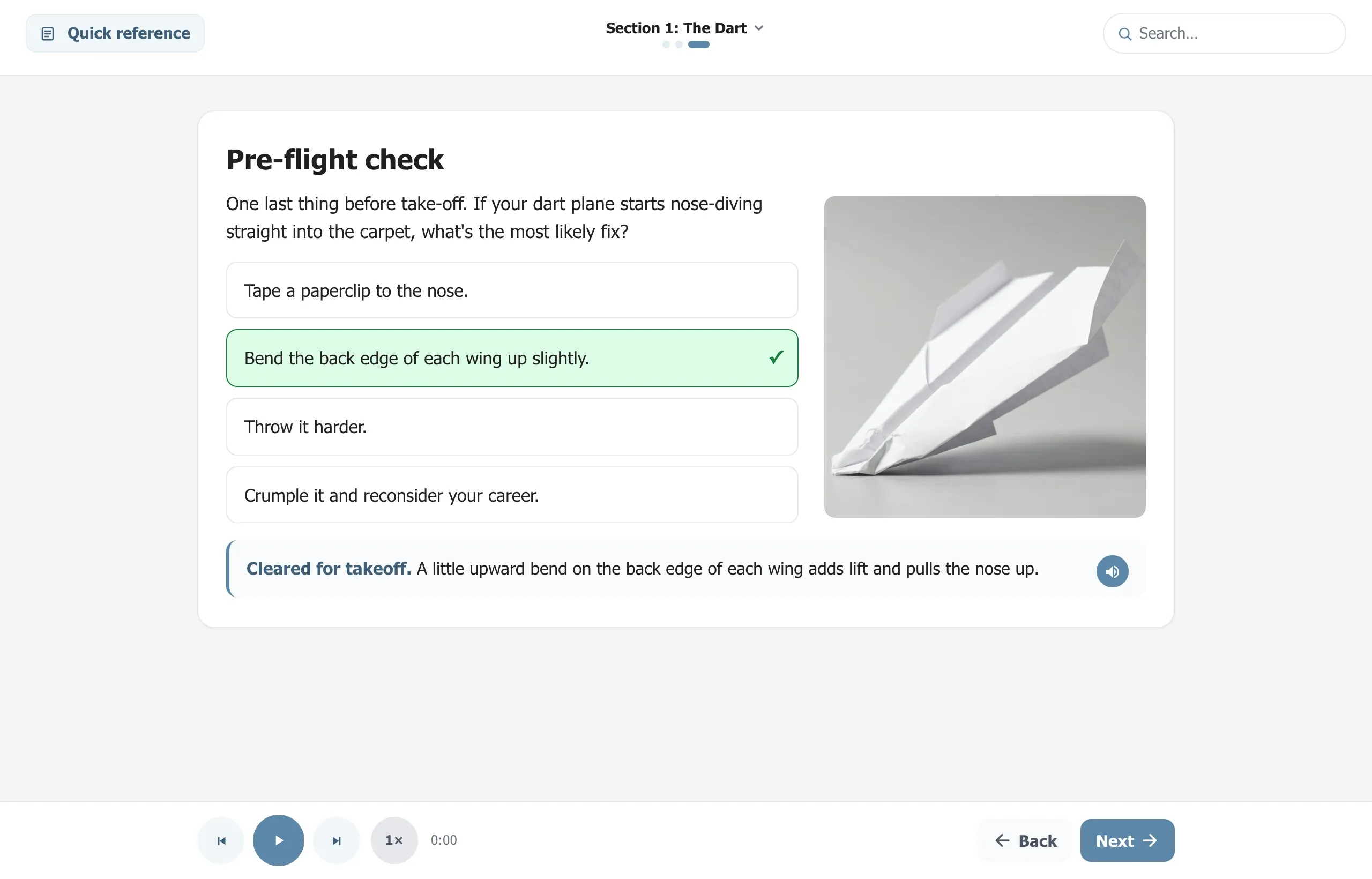
The knowledge check is multiple choice, and every answer has its own spoken feedback. Pick one and it reads the response aloud, right or wrong, so each answer explains the fix rather than only scoring it.
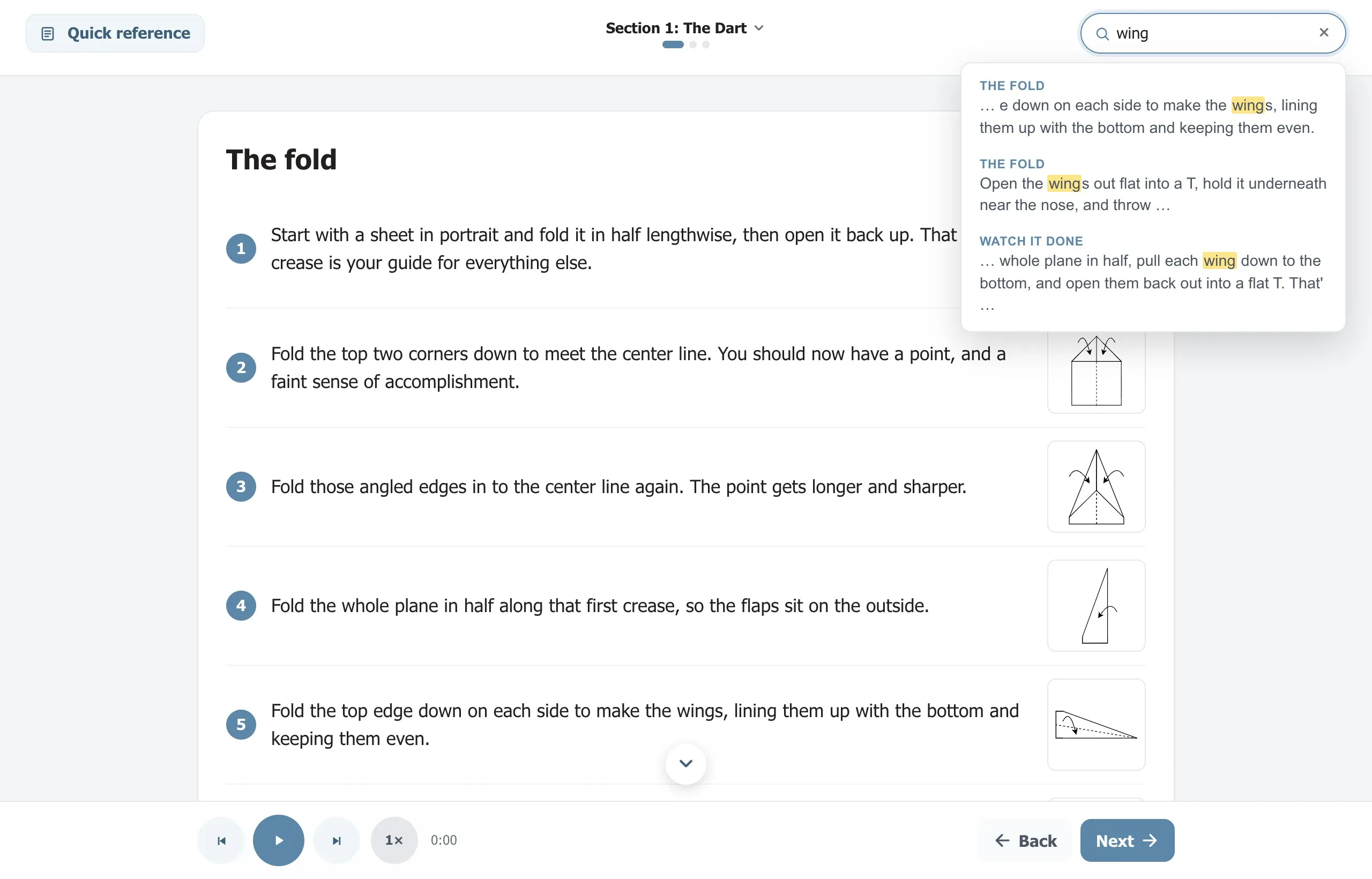
There’s a search box that indexes every line in the module. Type a word and it takes you to where it’s said, so a learner can come back and use this as a reference instead of scrubbing through it again.
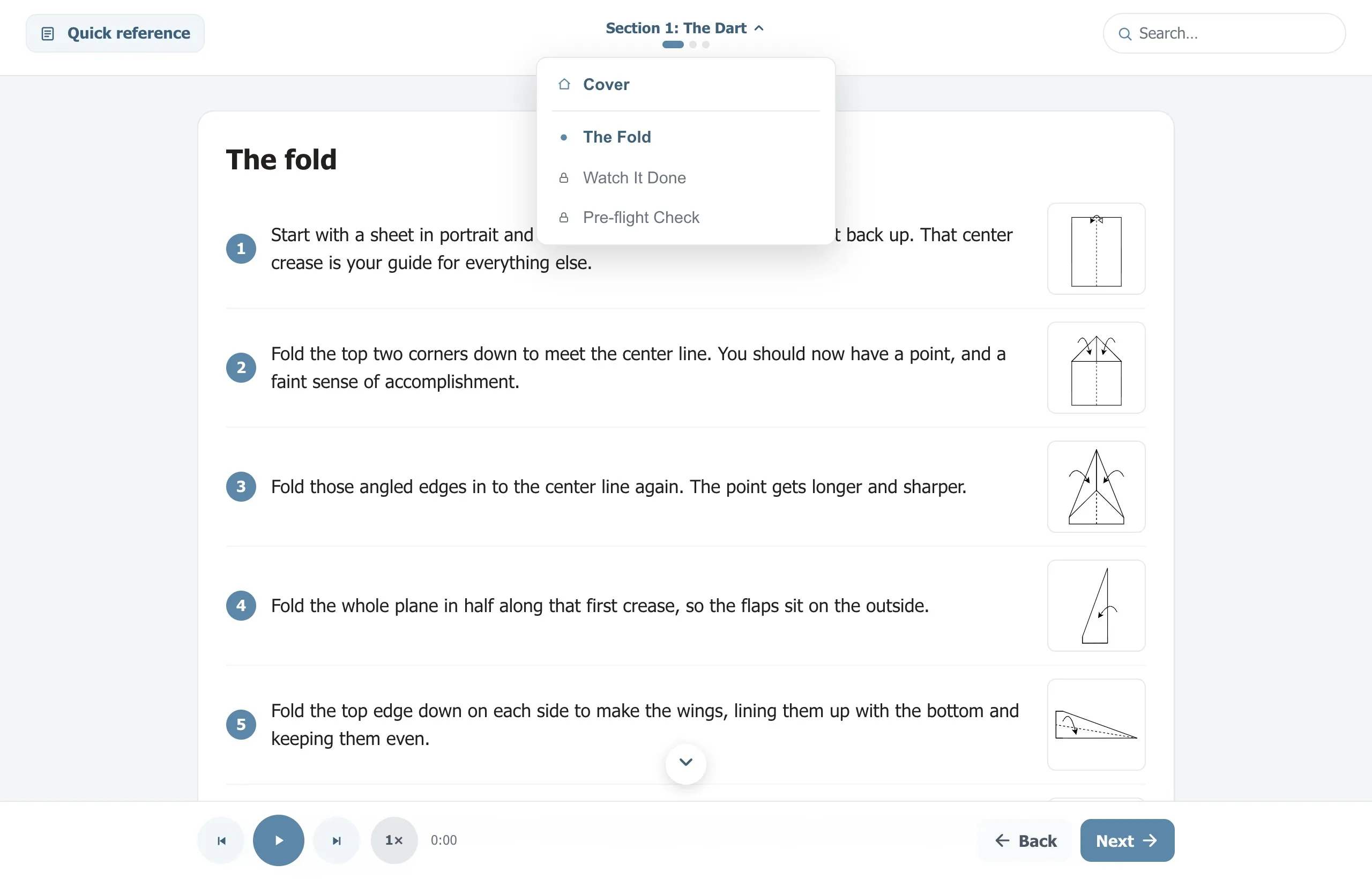
Navigation is built to make it easy to move around. Arrow keys and swipe step between cards, and a table of contents opens from the top showing what’s done, what’s current, and what’s still locked. Progress stays gated, so nobody skips the video or the check.
Try it yourself
We’re happy to share, so the whole thing is on GitHub. Clone it, take it into Claude, and change any of it. The repo includes an AGENTS.md and a CLAUDE.md that spell out how the engine works, so Claude opens the project already knowing the rules and can edit it without breaking things. If you want to run it end to end:
- Clone the repo: github.com/idatlas/claude-elevenlabs-elearning
- Make an ElevenLabs account and copy your API key from the dashboard. Start here if you don’t have one.
- Add the key to a
.envfile in the project, and confirm.envis in your.gitignore. - Open the folder in VS Code with Claude Code running.
- Write or edit your script, then ask Claude to generate the narration. It runs the script, calls ElevenLabs, and adds the audio to the project.
There’s a live demo of the module here: idatlas.github.io/claude-elevenlabs-elearning
Disclosure: I’m an ElevenLabs affiliate, so if you create an account through that link I may earn a commission. I’m sharing this because the workflow changed how I work, and figured the link might save you a step.